Skip to content

How To Be Prepared for a Microsoft Software Audit

Ever get an email from Microsoft saying they want to check your software licenses?

If youre a medium-sized business, you might. BALANCED+ has helped enough clients handle Microsoft audits to know that this is a fact of life.

Individuals and small businesses are not typically audited for using legitimate Microsoft software, but large and medium-sized businesses are checked all the time. After all, that is where most of Microsofts revenue comes from.

So what do you need to know about a license audit by Microsoft?

First, Microsoft asks you to fill in a Deployment Summary (see an older version of this document here), indicating how many instances of Microsoft products you have installed in your environment. This document covers pretty much all Microsoft products that still remain relevant today desktop and server operating systems, Office products (all the way down to Office XP), SharePoint, products like SQL server and developer tools like Visual studio, and even Dynamics CRM. They specifically ask for the quantity of each version of software currently installed/in use within your company. For server-based products, they also ask about CALs (client access licenses).

Does this include the software that is still installed on old computers (no longer in use), but has been installed on new computers under the same license? That is a gray area, so use your best judgement to decide.

How to be prepared for a Microsoft license audit

It is obviously in your best interests to be prepared for an audit. The best, and priceless, thing it gives you peace of mind, and may also save you some money.

The information you need to be prepared for a Microsoft audit is:

  • How many of their products you have installed, and where.
  • All proof of licenses (COA stickers, paper certificates, BIOS keys, etc.) and anything that can act as proof of purchase, preferably in one place (for example, a master license spreadsheet).

How to gather required information?

To do an audit of your environment, you will definitely need a PC audit software. There are many good programs available, including freeware. A very simple and powerful tool that Commit100 has used for its clients is Belarc Advisor  it gives you data about the software installed on the machine, as well as hardware, which is useful information that can be a great basis for a full IT system audit. It will also give you the product keys for most of the software that is installed, but it doesnt give you the full product keys for Office 2013 and onwards only the last 5 characters of the key.

To gather the required information about what software is installed and where, run an audit report on the following:

  • all desktops and laptops (mobile devices may or may not be relevant);
  • all physical servers;
  • all virtual machines/virtual servers (note that some individual users may have local virtual machines);
  • Servers should have information about the number of CALs they have installed this information will likely not be given by audit software, but you can check that in the Server Management console under Licensing.
  • Also take note of the number of clients accessing SQL databases and other server-based products (this will tell you how many CALs you actually need).

Centralize this information in a master document, summarizing all software and keys (yes, every key should be in that document for you own sake) for every physical and virtual machine.

The next step is to gather information about all the licenses you actually purchased. This includes COAs (stickers that go on the physical box), invoices, paper certificates, etc. Get a clean picture of all the licenses you have proof of purchase for this should go into the same master document.

The licenses installed vs. licenses purchased should match, but if they do not, you may get an idea as to how much software Microsoft will ask you to pay for.

What then?

After you have completed the deployment summary, send it off to Microsoft. There is typically a deadline established by Microsoft for this, but its not a do or die deadline, its something that can be discussed with Microsoft.

A small piece of advice from our experts at BALANCED+  dont underestimate the time you will need to fill out the deployment summary the more time, the better. If you use it, of course

What’s the worst that could happen?

Microsoft will ask you to pay for the licenses that are installed/in use, but which you did not purchase or have no proof of purchase for. If you are compliant, or compliant for the most part, then you should have no problems.

But this is not the end of a Microsoft audit. In future articles, we will discuss what else is involved in the audit after the deployment summary is sent back.

Conclusion

In conclusion, it’s important for medium and large businesses to be prepared for a Microsoft license audit. Being proactive and having all the necessary documentation in place can save you time, money, and unnecessary headaches.

If you need assistance in preparing for a Microsoft audit, don’t hesitate to reach out to BALANCED+ for expert IT consulting services.

Customer Retention Strategies: How to Keep Customers Coming Back for More

In today’s competitive business landscape, customer retention is more critical than ever. Retaining existing customers is a cost-effective way to grow your business and create long-term success.

With the average cost of new customer acquisition on the rise, it’s crucial to focus on keeping your existing customers happy and loyal. But how can you ensure that your customers keep coming back for more?

In this blog, we will explore five practical steps to boost customer retention and generate opportunities for growth within your business. By implementing these strategies, you can create a positive customer experience, enhance loyalty, and drive long-term business success.

1. Create a Customer Success Team

Keeping your customers happy is so fundamental that it will undoubtedly pay to have
a dedicated team who leads the way in ensuring that Customer Experience lies at the
heart of your operations.


It also sends out a clear message that you are proactive in caring about your
customers, making sure that their expectations are met and that they get the best
results from your products or services. To put it another way customers want to feel
loved! When asked for the reasons they feel a strong emotional connection to a
particular brand, 65% of US consumers recently said it is because they feel as if the
company cares about people like them.

2. Maximize Opportunities For Feedback

The adage about not relying on assumptions applies to customer retention as much
as acquisition. Dont be fooled into thinking you know what it is your customer expects
or needs in their ongoing relationship with you. Aim to give them regular opportunities
to feed back on all aspects of your delivery, from onboarding to the product itself to
overall satisfaction and experience.


Customer satisfaction surveys certainly retain a role in retention marketing, but this
doesnt have to be restricted to a formal (possibly annual) mass send-out. You can
ask customers to complete ad-hoc surveys after any engagement exercise, such as a
webinar. Immediate, activity-specific feedback like this can be immensely useful to
help you tweak your approach mid-campaign. Consider getting loyal customers
involved in focus groups and dont underestimate the value of timely and concise
email updates, blogs like this one! and engaging with customers on social media.

In essence, aim to keep the dialogue going at all points in the customer journey so
that you are equipped with the insight you need to make informed decisions about
future retention activity and make your customers feel valued at the same time.

3. Value Reviews For Deeper Understanding

As you will read in our Customer Success blog I referred to above, Value Reviews
form a key element of best practice retention strategy, not only to gauge satisfaction
levels but to check that your customers are reaping maximum benefit from your
services and to support them in doing so. This really helps build trust and loyalty
from a relationship perspective, not to mention the practical matter of embedding your
services deeper within their company.


Weve found that these in-depth reviews which can be undertaken by phone or face
to face tend to surface new areas for growth and development for both our business
and our customers.

4. Educate And Advise

Todays consumers are masters in self-education. Between 60% and 90% of the
buyers journey is now self-guided, and both Forrester and Gartner have predicted that
80% of the buying process will take place without any direct human-to-human
interaction by 2020. You can try to exploit this trend by ensuring there are plenty of
opportunities for customer-based learning on all your communication channels. For
example, providing webinars, videos, online user guides and even case studies can
further customers understanding of how your services can be adopted and extended,
helping you to create more valuable and stronger relationships.

5. Create A Customer-Centric Culture

This last step essentially joins all the others together to establish a coherent path to
customer satisfaction and loyalty across your whole organization. Everyone within
your business (not just those in customer-facing roles) needs to understand their
contribution and impact on your customers experience. Fostering a positive, forward looking, customer-centric culture may require training to secure buy-in from all teams.

To End it Off

Customer retention is crucial for the growth and success of your business. By implementing a dedicated customer success team, maximizing opportunities for feedback, valuing reviews for deeper understanding, educating and advising your customers, and creating a customer-centric culture, you can improve the overall customer experience, enhance loyalty, and generate opportunities for growth.

It is essential to keep the dialogue going, listen to your customers, and implement changes based on their feedback. By prioritizing customer retention, you can reduce costs associated with customer acquisition and drive long-term business success.

How to Boost Manufacturing Sales with a CRM

Finding buyers for manufactured product is essential. Making on its own will not drive economic growth it will only come when those goods are sold. Customer Relationship Management for manufacturing (CRM) could be the difference between success and failure, but manufacturing companies are very different to other industries. What works in the financial services sector doesnt always work for the engineers, fabricators and component suppliers that drive manufacturing.

Growing Manufacturing Sales

Following the pandemic, confidence is returning to certain sectors. Consumers are once again hitting the high street and low interest rates are encouraging some growth in capital projects. After some lean months, demand in the economy is building.

Unfortunately, others are looking at the same customers you are. They will do everything in their power to take your business and to take your customers.

Fighting back is not just about the cost of goods. A race to the bottom will not drive growth. Before dropping your prices to compete, look at the other weapons in your arsenal. Low cost foreign imports rarely come with the customer service that a local provider can give. Often they are ill equipped to provide Just In Time (JIT) delivery services. Essentially, they rarely have the local feet on the street. Customer

relationships are a key determinant of why the customer buys and Maximizer CRM can give you an advantage.

Manufacturing Customer Relationships

Think of the process flows and production modelling techniques you use to drive your manufacturing processes. When was that amount of time, effort and brainpower applied to your sales processes? For most manufacturers, the answer is never. Sales are the forgotten department. Despite occasional complaints about the cost of the sales team, they dont get the forensic attention that they need.

KAIZAN and Lean manufacturing have revolutionized production, but sales are often doing the same things they did in the bad old days of manufacturing. Implementing a CRM system would mean exposing them to that same level of scrutiny.

Start with the basics

Who is the customer?

Not just the list of companies you sell to, but who in those companies actually makes the purchasing decisions?

What do they buy?

Beyond specifications, what motivates them to buy? Why would they buy one product over another?

How do they buy?

What are the procurement processes? Can you help them with their procurement?

How do they find out about new products?

How do they go from Never a Customer to Always a Customer?

Just understanding these, and other key questions, will help you identify your customer and the relationships they need to have with their suppliers. CRM software then provides the tools to help you manage the relationship in ways that work for you and your customers.

Armed with this understanding you are in a better position to refine your processes for competitive advantage. With improved understanding, you can improve production

forecasting. This potentially reduces your inventory costs and transport costs. It can improve cash flow and provide a timely warning of possible spikes in demand. CRM has been shown to improve profitability and reduce customer churn. Put like that whats not to like?

Taking the first step

Often, manufacturing companies will look to the provider of their ERP systems to provide a CRM solution. In some cases this makes good sense; however, in many cases it fails. The problem with ERP companies that implement CRM functionality is that they just dont understand how salespeople work. They attempt to apply analytic disciplines to processes that are intuitive, not structured.

Independent CRM vendors create products that meet these needs. Instead of bending your sales and marketing processes to fit with a model developed by an ERP vendor, they provide customizable off the shelf Manufacturing CRMs that builds a system that works for you and the customer. They have the experience to help you understand sales processes. Often they provide experience gained in delivering successful CRM projects for other manufacturers.

CRM Software is a hyper-competitive market. Just as you have to earn your orders, look for a CRM provider that work to earn your business, and wi;ll be there for you post-sale. Do they have other customers in your sector? Are they of a size that means you will be able to manage them, or will they attempt to manage you? Selecting the right CRM partner is an important step to claiming your place on the March of the makers.

If you would like to explore how Maximizer can accelerate your business growth and increase your revenues, sign up for a 30-day free trial or get in touch with one of our CRM experts today!

8 Proven CRM Adoption Strategies for Achieving ROI

A CRM implementation isnt coin-operated

Achieving a successful CRM ROI instead takes focus. Its about planning, getting your technology and people working together. And there are many moving parts that can impact your total cost.

Indeed, businesses spend anywhere between $5,000 to $80,000+ getting a new CRM system up and running.

Those costs include expenses like software subscriptions advertised on your vendors pricing page and expenses your vendor will be less keen to share, such as the cost of extra user training, technical support and software customization. With an industry-leading solution, yourhidden costscan rack up significantly.

You want a solid return on your investment. And you know no matter how well your CRM strategy aligns with your business objectives and no matter how good the technology you will struggle to achieve your ROI if your team does not engage.

What follows are the top CRM adoption obstacles and 8 proven CRM adoption strategies.

The top CRM adoption obstacles

Youll ultimately confront several people-related issues during your implementation, as highlighted by repeated Forrester surveys.

These cited human pitfalls have included the following:

  • 15% aligning their organization with new ways of working
  • 35% inadequate change management and training
  • 49% slow user adoption

According to CRM analysts, here are the most common user adoption roadblocks:

  • Poor adoption strategy
  • Lack of support from senior leadership
  • Poor coordination with your intended end-users
  • Few consequences for not using your CRM
  • Software badly mismatched to your teams existing workflow
  • Software poorly integrated with your other systems
  • Lack of relevant training
  • Lack of training support across your solutions lifetime

Thankfully, there are some relatively simple strategies that significantly boost your chances without adding significantly to your final tally.

Well address each factor impacting your adoption fortunes.

  • Building a robust adoption outreach strategy
  • Choosing the right CRM system to spur, not frustrate, adoption

Building a robust CRM adoption strategy

People dont like change and may resist it. Its a common instinct, especially when change isnt clearly articulated and entails potential liabilities. Here are some ways to communicate effectively with your team.

1. Create an inclusive vision:

Its almost cliche to say this, but getting people on board early is essential to nipping status quo bias in the bud. Host luncheons and meetings where you can visually demo your new software. Then once youve got their attention, consider asking the following: How are they interacting with existing apps that they rely on every day?

  • Do they find them easy to use? Where do they get stuck?
  • Do they ever waste time waiting for systems to respond?
  • How can you leverage the new system to eliminate interruptions that distract them from selling, solving problems and delighting customers

A clear implementation game plan and clear messaging are equally crucial. Plan out your messaging to be as clear and consistent as possible, and be sure to cover all the bases, including

2. Layout a clear game plan:

  • Why the new software is necessary
  • Why staying the same is impossible
  • What is about to happen
  • Where your project is at on an ongoing basis
  • A realistic completion date
  • How your project’s success will be measured

3. Sell your CRM using a CRM Champion

You will also need ways to sell your solution to your team. Like anyone, theyll want to know what is in it for them. If CRM becomes a synonym for extra IT admin work, distracting from calling prospects then no matter how hard you push, your team still wont want to use it. Appointing a dedicated CRM Champion can help you bridge the divide. Ideally, your CRM Champion is a team leader who understands how your solution will help your team become more productive without doing more work and can communicate the benefits of your new system in terms they will appreciate.

4. Make CRM-use mandatory

Finally, youll need to get rid of the old ways of working as soon as your CRM is up and running. Consider doing the following:

  • Restrict access to duplicate data sources and system
  • Require sales reps to enter key prospect information into their CRM during their first sales call
  • Mandate sales reps close their opportunities inside their CRM

Getting the right CRM software

Next, lets talk about software. Ideally, you want a solution that helps learners adjust quickly and collaborate painlessly and with minimal delay!

Therefore:

5. Embrace debate

When you engage users they might request costly or impractical capabilities. Dont be afraid to push back. Your aim is to strike a balance between high levels of customization and automation, and reasonable scope of work. Fine-tune your software within practical limits to help end-users achieve their aspirations

6. Consider getting every department hooked up:

Your sales team will want to see their prospects, opportunities, contacts and accounts all in one place. Consider getting sales, marketing and customer service on the same page so they can collaborate on a shared 360-degree view of your customer. A mid-tier

vendor who offers an all-in-one subscription at a reasonable price can help you add new user subscriptions at a reasonable price.

7. Get the right integrations:

Additionally or alternatively, consider a CRM that connects easily with your other business-critical apps. That way, if your marketing team wants to keep working in familiar marketing apps, like Marketo or Hubspot they can continue doing so! Meanwhile, you can automatically flow lead information to your sales team working in your CRM so they can take effective action further down the buyer journey. A solution that comes with an app directory stocked with the right (free!) pre-built integrations can be of huge benefit here.

8. Personalize your UX:

Clunky, slow or cluttered interfaces will only make matters worse. So will CRM solutions that shoehorn you into their workflow, forcing you to contemplate more coercive, time consuming or expensive measures to guarantee adoption, including extra training services or software customization involving pricey third-party consultants. Instead, consider smoothing your transition and keeping costs down with a more flexible solution. One that doesnt take a one-size-fits-all approach and expects you to fit into its workflow, but rather, one that can be adapted to how you do things. At Maximizer, for example, we consult with customers thoroughly to build a CRM that matches their workflow as closely as possible. We then empower them to personalize their UX even further by leveraging our CRMs built-in configuration features. Youll find some CRMs like Maximizer come with heightened personalization, allowing you to self-tailor your process stages and data capture fields as much as you want to work just as you need them to

Bottom Line

A CRM implementation can feel intimidating. And its true, without the proper approach, you may incur needless expenses that can rack up quite quickly. In a worst- case scenario unlikely but possible your implementation may fail, leaving you to start again from scratch. Assuming theres a second chance.

Thankfully, the strategies for ensuring user CRM adoption and locking down your CRM ROI are well understood. A good vendor can also help hand hold you all the way to a successful completion

Converting Prospects into Loyal Customers: Strategies for Success

In today’s digital age, sales professionals and business owners must adapt to modern prospects’ preferences and behaviours to expand their customer base. Instead of relying on traditional outbound sales techniques and hard selling, companies need to focus on engaging prospects and creating personalized, emotional connections with their brands.

This article provides tips and strategies to help businesses convert prospects into loyal customers, from using customer data to deliver personalized engagement to offering webinars and useful content.

Focus on Engagement, Rather Than Promotion

As sales professionals and business owners, its crucial that we acknowledge our modern prospects desire to interact with us on their terms, how and when they choose. There has been a fundamental shift away from outbound sales techniques and the hard sell cold calling, for instance. In fact I would say that the challenge for businesses like ours today is to sell without selling; modern consumers are simply turned off by what are perceived as old-fashioned methods, preferring to deal with suppliers who let them control the pace and direction of their buying journey.

Todays smartphone society increasingly rely on social media, blogs, peer reviews and comparison sites to self-educate on products or services they are interested in. This is a trend which is accelerating fast, and is part of the growing appetite for engagement rather than overt promotion. People are seeking more authentic, personalised and emotional connections with their chosen brands, which of course is partially driven by the immediacy of the online world. A Forbes article recently stated that over 60% of Millennials are more likely to become brand loyal if a company engages with them, sincerely, on social media. This is likely to hold far greater sway these days than anything sent to them directly by a traditional sales rep.

As such, when prospects do reach out and make contact, they are further along in their decision-making process with some commentators estimating that 75% of the buying journey is already complete.

From Hot Prospect To Customer

So with this in mind, how can you seal the deal and convert prospects interest into sales and revenue? Actually, the fact that prospects are further along their buying journey than ever before should make closing the deal easier. Here are some key points to bear in mind to avoid potential customers slipping through your fingers.

1. Personalization

Use the wealth of customer data already at your fingertips through business tools such as CRM to identify new prospects and to deliver the truly personalized level of engagement expected today. This involves profiling customer segments to paint a figurative picture of your likely prospects. But its important to go beyond this and drill down deeper into your companys data to individual customer level, analyzing key information such as purchase, billing and service history alongside communication preferences such as which online or offline channel they use and at which time of day. It is this degree of insight which allows you to personalize the all-important final steps in their journey to purchase

2. Commitment

When building any relationship its always a helpful strategy to stage commitment by breaking it down into manageable steps that feel less intimidating. Start by asking prospects to make small pledges of loyalty to you, such as booking meetings, engaging with you about an email you sent them or completing an online survey. These all help to pave the way for future, larger commitments, as well as giving you actionable business intelligence on their preferences that will influence the nature of future interactions.

3. Visibility

As we mentioned earlier, todays consumer is likely to verify your claims through a range of online means, from peer reviews and press articles to demo videos and blogs. Improving your visibility and customer reviews on the right channels will help you to progress prospects to the next stage. Remember, over 80% of consumers seek peer referrals before making a purchase.

4. Reciprocity

Giving tends to inspire a reciprocal gesture, so bear this in mind in your interactions with prospective customers. You could offer consultancy sessions, webinars or useful content such as eBooks all of which satisfy the prospects preference to self-educate but at the same time make them feel valued and help to create stronger, more enduring relationships.

5. Effective Sales Process

Research shows that the difference between a sales team that executes and one that struggles to hit targets is process, so the importance of a trackable and repeatable sales process cant be emphasised enough. Teams who work in a consistent way are more likely to move deals through the pipeline and close them. Developing a Sales Playbook

will help define your process and provides a transparent, detailed, honed roadmap for you team to implement, evolve and adjust to your new customer journey and buying behaviours.

To Conclude

To succeed in today’s competitive business landscape, companies need to understand and cater to modern prospects’ preferences and behaviors. By focusing on engagement and personalization instead of promotion and hard selling, businesses can create authentic and emotional connections with their customers, resulting in brand loyalty and increased revenue. By following the strategies outlined in this article, sales professionals and business owners can effectively convert prospects into loyal customers, making the most out of their customer base and ultimately growing their business.

Total Cost of Ownership: Cloud vs On-premise CRM Solutions Compared

The debate over the Total Cost of Ownership (TCO) of cloud vs. on premise software choices is still a much-debated topic. Complicated questions like quantifying the long-term costs of IT management, plus the intangibles (uncertainties like downtime) can make comparing the two a bit like apples to oranges.

In 2019, according to a recent ZDnet Cloud Computing article, cloud services are accelerating, and faster than ever. We increasingly rely on cloud services in both our professional and personal lives, like NetFlix, GMail, Amazon, and many others.

We wanted to confirm for ourselves what the advantages of a Cloud CRM vs. an On-premises installation and heres what the experts had to say.

Cloud CRM has the edge in terms of stability, ease-of-use and scalability – and comes at a predictable price most SMB’s can easily absorb

However, there’s no straight answer on which costs less – cloud or on-prem?

According to VP and Corporate Counsel at Pemeco, Jonathan Gross, the answer depends on the app under consideration and the factors at play in your business, incluing timeline, staffing and related opportunity costs.

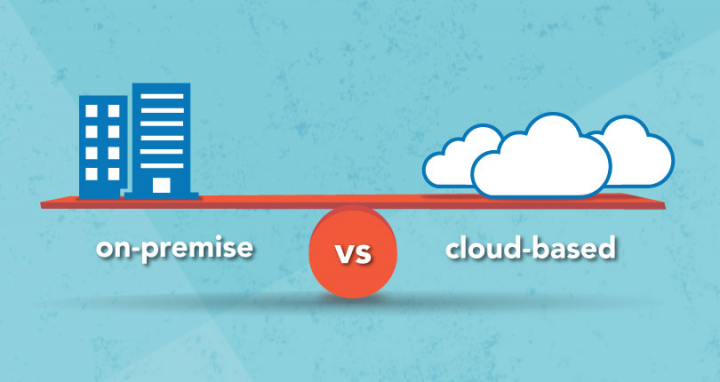
On-premises vs. Cloud: What is the difference?

With the liberal use of “cloud” as a marketing slogan, it can sometimes be easy to confuse definitions. Which is why it’s critical to first understand the difference.

On-premises CRM Solution

An on-premises CRM solution is hosted on your own server or data centre. People used to get on-premises software from a CD or a flash stick. Today, it’s usually accessed through an emailed download link

Analysts agree: On premise will cost you less up front. You pay a one-time license fee, along with a maintenance subscription covering things like vendor support. These are far cheaper than the cost of your cloud subscription over time.

However, Gross wrote the biggest error when evaluating on-premises’s total cost of ownership is to forget to factor in ongoing costs.

According to Gartner, the annual cost to own and manage software app can be up ot four times the cost of the initial purchase.

Think of it this way: on-prem software is effectively a capital investment. You can buy it and you’re responsible for it. You need to make sure it’s set up properly – or call in costly, time-consuming third party consultants – which can significantly prolong your implementation. There’s also the cost of maintaining supporting infrastructure: hardware and database software needs to be maintaned and periodically refreshed (usually every 5 years) to ensure it’s free of database corruption and latency issues.

And then there are the regular software updates, patches and fixes; making sure your software and network is secure; setting up your network connection so your CRM can be accessed remotely. All of that consumes many hours of your time.

Plus, customizations done on on-premises tend to get less vendor support; if an integration breaks because of a software update, you’ll likely have to pay to have it re-written while you temporarily lose access to that functionality.

Cloud CRM Solution

A Cloud CRM Solution, in contrast, is accessed through the internet. Your data is hosted on your provider’s data centre. They take care of IT management: that includes maintenance, updates, patches and fixes, network access, backups, server redundancy, security and more.

Unlike its on-prem counterpart, cloud CRM functions more like an operating expense. After your initial setup (where you may pay extra for services like data migration, customization and training) you pay a predictable subscription rate. You’re essentially “renting” the software and its supporting infrastructure as a service; hence the correct term: Software-as-a-Service(SaaS)

ZDnet Columnist and Founder of tech research firm Vital Analysis, Brian Sommer, indicated one potential “massive” SaaS benefit: upgrades and patches come as part of your subscription. Meaning, you don’t have to buy a new solution every few years to retains access to the leading edge; instead, updates are installed automatically on your vendor’s data centre without you doing any work.

Brian Sommer added that there are additional savings when it comes to expansion: companies can leverage SaaS to establish “new offices anywhere in the world with no lost time, no hardware purchases and no extra anything. All these firms needed is n internet connection and a computing device to have a new instance”

In short, SaaS CRM offers companies stable, convenient and scalable access to leading edge software.

Nevertheless, SaaS isn’t perfect -there are risks. For example, you might end up paying more for SaaS compared to on-premises over the full lifecycle of the solution (which can be up to a decade or more in the case of a CRM)

Four things to keep in mind when comparing TCO

Ultimately, you’ll want to carefully evaluate your choice. There are a few critical decision factors, according to Gross.

  1. Time horizon – what is expected lifecycle of your software? For a humongous Enterprise Resource Planning system with hundreds if not thousands of users, that timeline may span decades, making it worth doing in-house. Some office tools, however, may be only in use for a couple of years by a single team.
  2. Available IT resources – Sure, if you’re a tech titan, the sky’s the limit: you can build your dream infrastructure in-house and reap huge benefits. But for many SMBs, working on a shoestring budget, you need to consider your limitations.
  3. Opportunity costs – For examples ,how many people can you dedicate to maintaining your software – and what are the opportunity costs of having the preoccupied with IT management? You need to consider whether it’s worth it having your CGO, for example, pulling double duty maintaining your CRM and finances. By freeing up workers with cloud CRM, you can have them focus elsewhere.
  4. Uncertainty and risk – One final consideration is risks of downtime or security breaches. In smaller organizations, a single individual might be responsible for all IT-related responsibilities. But employees need to take vacations and sick days: what happens if your server goes down while your sole IT person is still in Barbados, their cell phone switched off while they’re sipping mojitos on the beach?

The advantage of cloud CRM for SMBs

Ultimately, cloud service offerings can have substantial advantages, and cloud adopters often experience at least a 40% reduction in their IT spend.

For those with limited capital expense budgets and difficulty predicting future usage and business needs, SaaS models can be liberating. It helps them to reduce operating expenses and offer services that compete with larger organizations – while freeing up staff to focus on revenue-generating activities.

Choosing a CRM Vendor The Journey Continues

In our previous article on Choosing a CRM for your business, we provided a list of questions to help you identify your specific business requirements and individual CRM needs.

It is now time to move on to identifying potential CRM vendors and solution providers that match with those needs youve identified.

The CRM software market has become very crowded, and that is especially true in the past 2-3 years as new CRM start-ups race to grab a piece of what has been estimated to be a $40 Billion industry in 2019, with expected growth to $80 Billion by 2025.

In the year 2018, the CRM market overtook database management systems to become the biggest software market globally. With such amazing growth prospects, the CRM industry is the fastest growing software market in the world, with no signs of slowing down.

Tech Perspective

Industry-specific vendors & partner networks

Some industries may have specific needs or requirements for peak efficiency, such as customized fields and workflows. If your business falls into one of these industries, you might want to look for a CRM vendor who has proven experience providing CRM solutions to companies similar to yours. 

Most CRM vendors showcase a selection of their customers on their website, so this is one way to get an idea of the industries and size of companies they work with. If you dont see any examples from your industry dont hesitate to ask the vendor if they have any examples of clients that are similar to your company. 

Review Sites & Partner Network

Another way to learn what types and sizes of companies use a particular CRM solution is to check the third-party review sites, such as Capterra, SoftwareAdvice, and G2, for customer testimonials, references, review scores, etc. 

Another factor to consider, particularly if you are looking for an on-premises solution, is if the vendor has an established network of local or regional partners to provide localized support, training, and implementation.

Many large vendors, like Maximizer, have an established Global Partner Network who not only provide CRM implementation and support, but many also offer general business consulting services. 

Available customization and training?

A CRM solution is only truly effective if its configured properly and your staff is trained 

to efficiently and correctly use all of the relevant features. 

When discussing price with each vendor, be sure to ask about the cost of properly configuring the software to adequately meet your initial needs, and if personalized training sessions are available in addition to online tutorials. 

A CRM system should complement your business and align with your sales process, marketing strategy, and your customer service activities. Its important that the solution you choose is flexible and can be easily customized to match your needs and existing processes. 

Adequate Training is typically the most important factor to ensure successful CRM adoption. It should be an on-going, user-specific hands-on experience, so that everyone knows how to use the software efficiently. 

Regardless of the delivery method, CRM training should not only demonstrate how the software works, but also how everything is connected, and how to get the most value and ROI from your CRM. 

CRM Free Trials and Personal Demos 

The bottom line is that the only true way to evaluate a CRM is to see and try it for yourself. When you purchased your last vehicle did you test-drive it first or buy it sight-unseen? In all likelihood you test drove it and compared it to other makes and models. 

The same approach is needed with a CRM given the amount and length of time it will likely be used, and its importance within your company. Most CRM vendors today offer a video overview, a personalized demo, an Unrestricted Free Trial, or like Maximizer, all of these options.

During a live demo session, an expert CRM Consultant walks you through the software and shows you how it works. They may be able to tailor their demo to your specific industry or application. 

Regardless of whether you request and experience a personalized demo, we recommend you always take advantage of a free trial version in order to get a good feel of how everything works on your own time, and to help you compare strengths and weaknesses of each product being considered. It allows you to properly evaluate factors like ease of use, key functionalities and the ability to expand and customize. 

Unless you are only needing a very basic CRM, we recommend discounting any vendor who does not allow you to test a full, working, unrestricted version of their software or platform before making a purchasing decision. 

The User Experience

One of the most important criteria for choosing a CRM solution is how you feel and your experience when using it. Does it help you? Is it intuitive? Or, do you get frustrated or find it slows you down? 

How many clicks does it take to carry out a common task? How effective and intuitive is the user interface? Is it easy to navigate? Are main functions clearly identified? Is the work- flow logical? 

All this constitutes what is called the user experience, or UX, and when it comes to a CRM system a positive UX is imperative because the success of the software rides on user adoption. In fact, about 65 percent of CRM implementations fail due to low user adoption. 

Some common CRM user experience complaints include: 

  • Slow loading time 
  • Inaccessibility of commonly used fields 
  • Not intuitively guiding users to the next intended action 

When choosing the right CRM for your company its important to ask everyone who will potentially use or benefit from the platform for their feedback. Talk to your sales team and customer service agents about how they input data, and how their current workflow can be improved with the right technology. 

As you are watching a live demo, or testing out a CRM Free Trial, ensure you are evaluating the systems user interface, your feelings while using it, and the overall ease of use. 

To Conclude

Hopefully you now have an understanding of why you need a CRM, how you will be using it, and who are the CRM vendors which offer a solution that fits your needs. 

While we hope Maximizer is one of the CRMs you are considering, we also understand that we are not a fit for every business. Regardless, we hope our two-part guide helps you in selecting the best CRM for your specific needs. 

Elevate your marketing strategies using a CRM

Having clear strategies, effective inbound marketing activities and a clear sales process is critical to business success. Technology nowadays plays a vital role in altering the consumer landscape and how people interact with your product and brand.

Generally, people are more self-aware, better informed, and further along the sales funnel when they engage with your business. When you distinguish exactly what your prospects want, you can focus on catering your marketing strategy directly to them.

Understanding Your Audience

These days, consumers desire a personalized experience when interacting with your brand. This can be difficult to individualize due to the diversity of people that exists around us. When capturing information for prospects, youll receive plenty of data, and if that data is maintained on an ongoing basis, it can be leveraged effectively in your marketing and sales tactics. Using a CRM assists in filtering the relevant data based on user defined fields that can suit your business needs and help understand your audience personas.

You can leverage your CRM to:

  1. Gain easy access to information from address books
  2. Create notes/follow up tasks and track the most recent interactions
  3. Take your campaign on the go with mobile accessibility

These features ensure your sales team is constantly connected, which results in engaging these prospects in the correct manner. Having everything in one database and being able to communicate effectively with your prospects can be done most productively through a CRM, resulting in better team efficiency and satisfied prospects.

Improving Productivity

One of the most important outcomes of implementing a CRM system is improved productivity in the workforce. Anytime your company acquires new information regarding a prospect, this information can be stored within the CRM, which enables your entire team to view it all in one place. These tracked communications are in real time which gives your team insight into how the deal is progressing. 

There are other ways CRM can increase your teams productivity as well. If a prospect fills out a form on your website, you can automatically schedule an email to go out containing the information they requested, such as username and password and links to other helpful resources.

This eliminates the need to individually follow up and frees up time for your sales team to resolve questions other prospects may have which improves efficiency. 

Adopting the right CRM allows your team to be free from process-heavy tasks, giving them more time to provide high quality customer service. Manual operations such as physically checking employee availability and scheduling phone calls is improved through CRM technology. 

The calendar feature within Maximizer allows you to check your teams availability, schedule meetings and book rooms all from one system, therefore improving the internal efficiency across departments. 

Finally, a CRM system can assist your marketing, sales and customer service departments stay well connected through shared tasks and responsibilities. For example, Maximizer CRMs hotlist feature allows you and your team to view important tasks with one simple click. Look at your teams urgent tasks due right away and easily monitor when each task is completed. This simple feature ensures you will never miss a deadline again.

To Conclude

In today’s fast-paced business environment, having a CRM system is crucial to improving audience understanding and productivity, resulting in better customer service, enhanced team efficiency, and increased sales. With the right CRM, businesses can easily capture, store, and analyze customer data, gain real-time insights into deal progress, automate follow-up tasks, and streamline operations across departments. By adopting a CRM, companies can build deeper customer relationships, increase their competitive edge, and drive long-term growth.

Maximizing Contact Management with CRM to Boost Productivity

Contact management is an integral part of any organization, and doing it well helps you form strong relationships with people and businesses alike. Proper contact management within a CRM can assist your company in the following ways:

  • It keeps your sales and customer service teams aligned by keeping track of ongoing conversations that are latched to the history of each contact in your database.
  • It builds and maintains company reputation by allowing you to respond to customer complaints in a timely manner, drawing a positive brand image.
  • It keeps your contact records updated and widely shared across the organization.

Collection and maintenance of contacts can be tricky, complicated and time consuming without a CRM. If the process takes longer than expected, it can lead to decreased productivity, frustration and loss of valuable customer information. Three aspects of a CRM which will help improve contact management that we want to draw your attention to are:

  • Address Book
  • Mobile Accessibility
  • Automated data entry

In this article, we’ll explore how these three aspects of a CRM can help you build stronger relationships with your customers and boost your business productivity.

Address book

An address book allows you to access, recall and share information effortlessly by storing key details within the CRM database. Key information like contact addresses, date last contacted, and emails received can be tracked with this feature. This keeps your team well connected and provides insights into where your leads are in the lifecycle stage of the sales process. 

All this centralized data helps you better understand your contacts and build deeper relationships with them. Your team will be well prepared for client calls, as they can scan through contacts interaction history and see what was discussed in previous communications. This allows your team to connect with them right where they left off and at the right time. 

With an online address book, your team will be more prepared, better informed and equipped to connect and create lifelong relationships with your contacts.

Mobile Accessibility

Technology has evolved and improved much more in the last 5 years, with cutting edge and progressive innovations, which includes improved mobile accessibility. With a steady rise in the availability of mobile apps on the apple store and google play store, we have become much more attached to our portable devices.

Mobile CRM also helps you pull specifics about contacts right into the palm of your hands. Whether youre travelling between meetings, or simply busy with multiple tasks, you have access to your CRM from your mobile device. Wherever you are in the world, you can access information such as notes, calendars, and future events even when out of the office. 

Mobile CRM also helps you stay on task and be well-prepared. Employees can schedule appointments or see whos available for discussion about important topics from their cell phone. In addition, if you receive important information or discover new opportunities, this can be shared quickly with your team. This in turn keeps your sales team well connected and ensures youre not missing out on the next opportunity. 

The mobile CRM market is expecting a growth of 11% this year, rising from US$13.5 billion in 2018 to in excess of US$15 billion by the end of this year. The desire for people to connect with their contacts through their mobile devices is increasing. Long gone are the days where employees are required to sit at their desk in order to process and analyze contact information. Thanks to convenient, user friendly mobile CRM, your sales team can stay connected in real time throughout the workday.

Automated Data Entry

Manual data entry can be time consuming and has the potential of human errors, resulting in inaccuracies and confusion amongst your team. By reducing the time for data entry with CRM and pre-built integrations, teams can focus on high-value tasks instead of typing information into the database. 

Not only is data entry time consuming, but it can also cost money. With so many automated processes, you dont need as many employees to assist you. This means less money spent on salaries, which allows you to spend it on other areas of your company. 

Hiring employees specifically to keep your data organized can waste time and be expensive. Instead, that time could be better spent in closing deals, generating revenue and satisfying customers. With CRM, data is automatically organized depending on your preferences, freeing up time for you and your team to prioritize high value tasks.

Conclusion

Managing contact information is critical for business growth and success. Using a CRM will help keep this information updated, organized and accessible across your entire organization. You can improve efficiencies across departments, prevent the daily hassle of updating contact records and much more, all with our one-stop CRM solution.

Secrets Of Successful CRM Buy-In

Although CRM remains the fastest growing software market today, expecting to reach $80 billion by 2025 (Source: Grand View Research), successful adoption is a challenge for many companies, with some research statistics reporting anything up to a 70% failure rate.

There are many reasons for CRM not delivering as promised, with user adoption often cited as a key factor, which can often be overlooked during the product evaluation, design or implementation stages of project.

In this blog we discover ways to set the odds for success in your favour, better engage with stakeholders and deliver higher user adoption rates and successful CRM. and it all starts at your CRM evaluation stage!

Grand View Research – Global CRM market, by application, 2014 – 2025 (USD Million)

Leadership

Often within a business, the need for CRM is driven by one or two individuals with previous knowledge and experience of the value and benefits that CRM can bring to improving productivity and business growth. 

This may be a Head of Marketing or Sales who tasks their IT representative or one of their own team to research the market and focus CRM needs on just their own department. 

This may be a good starting point, but it is critical to consider the wider business needs and involve managers early in the process, for input and buy-in to the proposal. Its important to ensure the senior team are fully conversant with the benefits that CRM can bring to both their individual departments as well as the wider business. This will help ensure that decisions to progress are well informed and based on more than just a basic cost analysis. 

Early commitment from all managers will help build project credibility and confidence, drive the required changes in company culture and deliver ongoing, engagement and use of the CRM by their teams.

Stakeholder Involvement

Forrester Research found that 22% of all reported problems encountered on the road to successful CRM implementation were people-related or linked to user adoption. Therefore, its imperative to include your wider stakeholder community early in the process. 

  • Have a clear plan of how you intend to engage with your stakeholders. BRS have a great Five-Step Approach to Stakeholder Engagement which is easily transferable to any B2B business. 
  • Set up a multi-disciplined project group to assess and define key CRM requirements for the whole business, gathering information from their colleagues and disseminating it to the group for discussion and action. 
  • Include end-user representatives from each department to secure early engagement and longer-term commitment. Deep practical knowledge of existing data management practices, customer interactions, activity workflows, challenges, productivity inefficiencies and improvement opportunities will result in a more comprehensive needs analysis, product evaluation, product design and implementation, all important in delivering effective CRM. 
  • Set clear goals, timescales, roles and responsibilities for the task group, providing a motivational environment and encouraging positive communication to the wider stakeholders, building stronger interest and engagement with the project across the whole business.
BRS – Five Step Stakeholder Engagement Model

Making the Most of Champions and Blockers

Resistance to change can be one of the most challenging elements of managing a business and teams. The proposed adoption of a CRM can create fear and apprehension, whether it be about changing roles and responsibilities, job security, being under performance scrutiny, negative outcomes of a poorly executed project and challenges of learning new technology.

Its important management provides a platform and listens to these concerns and demonstrate such fears are unfounded, alleviating skepticism and focusing on the benefits that will help reassure stakeholders. 

  • Finding genuine CRM champions early in the project will provide a good foundation for positive thought and action across the wider stakeholder community. 
  • Think about the personal benefit CRM will bring to an individuals role and their working day. 
  • Identify those who will be the most vocal about their concerns and avoid them fostering negativity within the wider group. Bringing them early into the project, educating on value and the positives, giving them responsibilities to help make it a success and ultimately turning them from blockers to champions will deliver much better results.

Communicating Value

Keeping your company-wide stakeholders informed throughout the whole CRM journey, from evaluation and implementation through to adoption and ongoing mastery, as already discussed is critical to success. Good communication and supportive listening will go a long way in building trust and engagement in the project.

  • Develop a communications plan that clearly defines your CRM vision, benefits, strategy, schedule and activity to help alleviate fears and provide confidence in the decision making and positive outcomes of the project. 
  • Provide regular updates via your intranet, email, newsletter or meetings with individual managers or as a wider group. 
  • Give stakeholders the opportunities to voice their concerns and ideas. This may be through on-line surveys, polls and even competitions, that can bring a fun element into the proceedings.

You can also turn to your vendor for support with this activity as they should be able to supply customer success case studies and value related content that you can communicate and share with your stakeholders.

Breaking Down Departmental Barriers

So often in organizations, departmental teams work in isolation of each other. CRM provides an ideal opportunity to break down these barriers. Establishing a cross-company task group for the CRM project will help encourage wider team engagement and collaboration. 

Involvement and contribution to the design, implementation and adoption of the CRM solution will help foster improved cross departmental interactions and cohesive, consistent working practices across the whole business. 

Again, bringing in a fun element, such as a competition and rewards around CRM use or improvement ideas can help develop camaraderie, positivity and focus on collective sustainable CRM use and value.

CRM Education & Training

Investing in a comprehensive training program is imperative to positive user engagement and use. Including budget for both initial and ongoing education and training programmes within your CRM strategy will alleviate user fears and frustrations and help them get the most from the solution. 

  • Consider companywide training with your vendor or develop product experts who take on the responsibilities of training other users. If you have large numbers of staff a model of train the trainer can also work well, where your own staff super users become the trainers of other staff members. 
  • Make the most of Vendor comprehensive support resources and easily accessible free training materials such as webinars, videos, user manuals, FAQs, in-product help as well as a user community forum and regular educational communications. 
  • Develop a CRM User Handbook, setting out the design, data capture, management and use criteria, agreed workflows and user roles and responsibilities will provide a working document that can be easily referenced by all users and help contribute to delivering an effective and valuable CRM. Consider putting together a day in the life of document for employees that are in a specific role that will use the CRM in the same way each day.

CRM Mastery & Improvement

Its easy to become complacent, once initial CRM implementation has been successful, but sustainable user buy-in and use requires on-going commitment to the above activities. 

  • Regularly communicating and promoting CRM related customer experience, productivity and process efficiency wins will demonstrate value and return on investment. 
  • Developing in-house CRM expertise and encouraging users to contribute improvement ideas and seeing these implemented will help your teams engage more deeply with the solution and gain further value, both at a personal and business level.

Your vendor relationship and on-going support is also critical at this stage and essential in helping you sustain user buy-in and continued development of your CRM value andcontribution to business growth.

Conclusion

Incorporating a CRM system into your business is an important step towards improving productivity and growth, but it can be a challenging process. By following the tips outlined in this article, including engaging stakeholders, promoting user adoption, and investing in comprehensive training programs, you can increase the odds of successful CRM adoption. With a well-implemented CRM system and sustained user engagement, you can achieve better customer relationships and business growth.