Skip to content

Converting Prospects into Loyal Customers: Strategies for Success

In today’s digital age, sales professionals and business owners must adapt to modern prospects’ preferences and behaviours to expand their customer base. Instead of relying on traditional outbound sales techniques and hard selling, companies need to focus on engaging prospects and creating personalized, emotional connections with their brands.

This article provides tips and strategies to help businesses convert prospects into loyal customers, from using customer data to deliver personalized engagement to offering webinars and useful content.

Focus on Engagement, Rather Than Promotion

As sales professionals and business owners, its crucial that we acknowledge our modern prospects desire to interact with us on their terms, how and when they choose. There has been a fundamental shift away from outbound sales techniques and the hard sell cold calling, for instance. In fact I would say that the challenge for businesses like ours today is to sell without selling; modern consumers are simply turned off by what are perceived as old-fashioned methods, preferring to deal with suppliers who let them control the pace and direction of their buying journey.

Todays smartphone society increasingly rely on social media, blogs, peer reviews and comparison sites to self-educate on products or services they are interested in. This is a trend which is accelerating fast, and is part of the growing appetite for engagement rather than overt promotion. People are seeking more authentic, personalised and emotional connections with their chosen brands, which of course is partially driven by the immediacy of the online world. A Forbes article recently stated that over 60% of Millennials are more likely to become brand loyal if a company engages with them, sincerely, on social media. This is likely to hold far greater sway these days than anything sent to them directly by a traditional sales rep.

As such, when prospects do reach out and make contact, they are further along in their decision-making process with some commentators estimating that 75% of the buying journey is already complete.

From Hot Prospect To Customer

So with this in mind, how can you seal the deal and convert prospects interest into sales and revenue? Actually, the fact that prospects are further along their buying journey than ever before should make closing the deal easier. Here are some key points to bear in mind to avoid potential customers slipping through your fingers.

1. Personalization

Use the wealth of customer data already at your fingertips through business tools such as CRM to identify new prospects and to deliver the truly personalized level of engagement expected today. This involves profiling customer segments to paint a figurative picture of your likely prospects. But its important to go beyond this and drill down deeper into your companys data to individual customer level, analyzing key information such as purchase, billing and service history alongside communication preferences such as which online or offline channel they use and at which time of day. It is this degree of insight which allows you to personalize the all-important final steps in their journey to purchase

2. Commitment

When building any relationship its always a helpful strategy to stage commitment by breaking it down into manageable steps that feel less intimidating. Start by asking prospects to make small pledges of loyalty to you, such as booking meetings, engaging with you about an email you sent them or completing an online survey. These all help to pave the way for future, larger commitments, as well as giving you actionable business intelligence on their preferences that will influence the nature of future interactions.

3. Visibility

As we mentioned earlier, todays consumer is likely to verify your claims through a range of online means, from peer reviews and press articles to demo videos and blogs. Improving your visibility and customer reviews on the right channels will help you to progress prospects to the next stage. Remember, over 80% of consumers seek peer referrals before making a purchase.

4. Reciprocity

Giving tends to inspire a reciprocal gesture, so bear this in mind in your interactions with prospective customers. You could offer consultancy sessions, webinars or useful content such as eBooks all of which satisfy the prospects preference to self-educate but at the same time make them feel valued and help to create stronger, more enduring relationships.

5. Effective Sales Process

Research shows that the difference between a sales team that executes and one that struggles to hit targets is process, so the importance of a trackable and repeatable sales process cant be emphasised enough. Teams who work in a consistent way are more likely to move deals through the pipeline and close them. Developing a Sales Playbook

will help define your process and provides a transparent, detailed, honed roadmap for you team to implement, evolve and adjust to your new customer journey and buying behaviours.

To Conclude

To succeed in today’s competitive business landscape, companies need to understand and cater to modern prospects’ preferences and behaviors. By focusing on engagement and personalization instead of promotion and hard selling, businesses can create authentic and emotional connections with their customers, resulting in brand loyalty and increased revenue. By following the strategies outlined in this article, sales professionals and business owners can effectively convert prospects into loyal customers, making the most out of their customer base and ultimately growing their business.
Total Cost of Ownership: Cloud vs On-premise CRM Solutions Compared

The debate over the Total Cost of Ownership (TCO) of cloud vs. on premise software choices is still a much-debated topic. Complicated questions like quantifying the long-term costs of IT management, plus the intangibles (uncertainties like downtime) can make comparing the two a bit like apples to oranges.

In 2019, according to a recent ZDnet Cloud Computing article, cloud services are accelerating, and faster than ever. We increasingly rely on cloud services in both our professional and personal lives, like NetFlix, GMail, Amazon, and many others.

We wanted to confirm for ourselves what the advantages of a Cloud CRM vs. an On-premises installation and heres what the experts had to say.

Cloud CRM has the edge in terms of stability, ease-of-use and scalability – and comes at a predictable price most SMB’s can easily absorb

However, there’s no straight answer on which costs less – cloud or on-prem?

According to VP and Corporate Counsel at Pemeco, Jonathan Gross, the answer depends on the app under consideration and the factors at play in your business, incluing timeline, staffing and related opportunity costs.

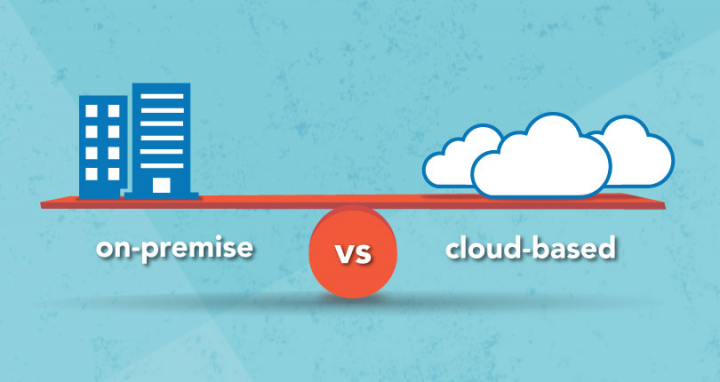
On-premises vs. Cloud: What is the difference?

With the liberal use of “cloud” as a marketing slogan, it can sometimes be easy to confuse definitions. Which is why it’s critical to first understand the difference.

On-premises CRM Solution

An on-premises CRM solution is hosted on your own server or data centre. People used to get on-premises software from a CD or a flash stick. Today, it’s usually accessed through an emailed download link

Analysts agree: On premise will cost you less up front. You pay a one-time license fee, along with a maintenance subscription covering things like vendor support. These are far cheaper than the cost of your cloud subscription over time.

However, Gross wrote the biggest error when evaluating on-premises’s total cost of ownership is to forget to factor in ongoing costs.

According to Gartner, the annual cost to own and manage software app can be up ot four times the cost of the initial purchase.

Think of it this way: on-prem software is effectively a capital investment. You can buy it and you’re responsible for it. You need to make sure it’s set up properly – or call in costly, time-consuming third party consultants – which can significantly prolong your implementation. There’s also the cost of maintaining supporting infrastructure: hardware and database software needs to be maintaned and periodically refreshed (usually every 5 years) to ensure it’s free of database corruption and latency issues.

And then there are the regular software updates, patches and fixes; making sure your software and network is secure; setting up your network connection so your CRM can be accessed remotely. All of that consumes many hours of your time.

Plus, customizations done on on-premises tend to get less vendor support; if an integration breaks because of a software update, you’ll likely have to pay to have it re-written while you temporarily lose access to that functionality.

Cloud CRM Solution

A Cloud CRM Solution, in contrast, is accessed through the internet. Your data is hosted on your provider’s data centre. They take care of IT management: that includes maintenance, updates, patches and fixes, network access, backups, server redundancy, security and more.

Unlike its on-prem counterpart, cloud CRM functions more like an operating expense. After your initial setup (where you may pay extra for services like data migration, customization and training) you pay a predictable subscription rate. You’re essentially “renting” the software and its supporting infrastructure as a service; hence the correct term: Software-as-a-Service(SaaS)

ZDnet Columnist and Founder of tech research firm Vital Analysis, Brian Sommer, indicated one potential “massive” SaaS benefit: upgrades and patches come as part of your subscription. Meaning, you don’t have to buy a new solution every few years to retains access to the leading edge; instead, updates are installed automatically on your vendor’s data centre without you doing any work.

Brian Sommer added that there are additional savings when it comes to expansion: companies can leverage SaaS to establish “new offices anywhere in the world with no lost time, no hardware purchases and no extra anything. All these firms needed is n internet connection and a computing device to have a new instance”

In short, SaaS CRM offers companies stable, convenient and scalable access to leading edge software.

Nevertheless, SaaS isn’t perfect -there are risks. For example, you might end up paying more for SaaS compared to on-premises over the full lifecycle of the solution (which can be up to a decade or more in the case of a CRM)

Four things to keep in mind when comparing TCO

Ultimately, you’ll want to carefully evaluate your choice. There are a few critical decision factors, according to Gross.

  1. Time horizon – what is expected lifecycle of your software? For a humongous Enterprise Resource Planning system with hundreds if not thousands of users, that timeline may span decades, making it worth doing in-house. Some office tools, however, may be only in use for a couple of years by a single team.
  2. Available IT resources – Sure, if you’re a tech titan, the sky’s the limit: you can build your dream infrastructure in-house and reap huge benefits. But for many SMBs, working on a shoestring budget, you need to consider your limitations.
  3. Opportunity costs – For examples ,how many people can you dedicate to maintaining your software – and what are the opportunity costs of having the preoccupied with IT management? You need to consider whether it’s worth it having your CGO, for example, pulling double duty maintaining your CRM and finances. By freeing up workers with cloud CRM, you can have them focus elsewhere.
  4. Uncertainty and risk – One final consideration is risks of downtime or security breaches. In smaller organizations, a single individual might be responsible for all IT-related responsibilities. But employees need to take vacations and sick days: what happens if your server goes down while your sole IT person is still in Barbados, their cell phone switched off while they’re sipping mojitos on the beach?

The advantage of cloud CRM for SMBs

Ultimately, cloud service offerings can have substantial advantages, and cloud adopters often experience at least a 40% reduction in their IT spend.

For those with limited capital expense budgets and difficulty predicting future usage and business needs, SaaS models can be liberating. It helps them to reduce operating expenses and offer services that compete with larger organizations – while freeing up staff to focus on revenue-generating activities.

Choosing a CRM Vendor The Journey Continues

In our previous article on Choosing a CRM for your business, we provided a list of questions to help you identify your specific business requirements and individual CRM needs.

It is now time to move on to identifying potential CRM vendors and solution providers that match with those needs youve identified.

The CRM software market has become very crowded, and that is especially true in the past 2-3 years as new CRM start-ups race to grab a piece of what has been estimated to be a $40 Billion industry in 2019, with expected growth to $80 Billion by 2025.

In the year 2018, the CRM market overtook database management systems to become the biggest software market globally. With such amazing growth prospects, the CRM industry is the fastest growing software market in the world, with no signs of slowing down.

Tech Perspective

Industry-specific vendors & partner networks

Some industries may have specific needs or requirements for peak efficiency, such as customized fields and workflows. If your business falls into one of these industries, you might want to look for a CRM vendor who has proven experience providing CRM solutions to companies similar to yours. 

Most CRM vendors showcase a selection of their customers on their website, so this is one way to get an idea of the industries and size of companies they work with. If you dont see any examples from your industry dont hesitate to ask the vendor if they have any examples of clients that are similar to your company. 

Review Sites & Partner Network

Another way to learn what types and sizes of companies use a particular CRM solution is to check the third-party review sites, such as Capterra, SoftwareAdvice, and G2, for customer testimonials, references, review scores, etc. 

Another factor to consider, particularly if you are looking for an on-premises solution, is if the vendor has an established network of local or regional partners to provide localized support, training, and implementation.

Many large vendors, like Maximizer, have an established Global Partner Network who not only provide CRM implementation and support, but many also offer general business consulting services. 

Available customization and training?

A CRM solution is only truly effective if its configured properly and your staff is trained 

to efficiently and correctly use all of the relevant features. 

When discussing price with each vendor, be sure to ask about the cost of properly configuring the software to adequately meet your initial needs, and if personalized training sessions are available in addition to online tutorials. 

A CRM system should complement your business and align with your sales process, marketing strategy, and your customer service activities. Its important that the solution you choose is flexible and can be easily customized to match your needs and existing processes. 

Adequate Training is typically the most important factor to ensure successful CRM adoption. It should be an on-going, user-specific hands-on experience, so that everyone knows how to use the software efficiently. 

Regardless of the delivery method, CRM training should not only demonstrate how the software works, but also how everything is connected, and how to get the most value and ROI from your CRM. 

CRM Free Trials and Personal Demos 

The bottom line is that the only true way to evaluate a CRM is to see and try it for yourself. When you purchased your last vehicle did you test-drive it first or buy it sight-unseen? In all likelihood you test drove it and compared it to other makes and models. 

The same approach is needed with a CRM given the amount and length of time it will likely be used, and its importance within your company. Most CRM vendors today offer a video overview, a personalized demo, an Unrestricted Free Trial, or like Maximizer, all of these options.

During a live demo session, an expert CRM Consultant walks you through the software and shows you how it works. They may be able to tailor their demo to your specific industry or application. 

Regardless of whether you request and experience a personalized demo, we recommend you always take advantage of a free trial version in order to get a good feel of how everything works on your own time, and to help you compare strengths and weaknesses of each product being considered. It allows you to properly evaluate factors like ease of use, key functionalities and the ability to expand and customize. 

Unless you are only needing a very basic CRM, we recommend discounting any vendor who does not allow you to test a full, working, unrestricted version of their software or platform before making a purchasing decision. 

The User Experience

One of the most important criteria for choosing a CRM solution is how you feel and your experience when using it. Does it help you? Is it intuitive? Or, do you get frustrated or find it slows you down? 

How many clicks does it take to carry out a common task? How effective and intuitive is the user interface? Is it easy to navigate? Are main functions clearly identified? Is the work- flow logical? 

All this constitutes what is called the user experience, or UX, and when it comes to a CRM system a positive UX is imperative because the success of the software rides on user adoption. In fact, about 65 percent of CRM implementations fail due to low user adoption. 

Some common CRM user experience complaints include: 

  • Slow loading time 
  • Inaccessibility of commonly used fields 
  • Not intuitively guiding users to the next intended action 

When choosing the right CRM for your company its important to ask everyone who will potentially use or benefit from the platform for their feedback. Talk to your sales team and customer service agents about how they input data, and how their current workflow can be improved with the right technology. 

As you are watching a live demo, or testing out a CRM Free Trial, ensure you are evaluating the systems user interface, your feelings while using it, and the overall ease of use. 

To Conclude

Hopefully you now have an understanding of why you need a CRM, how you will be using it, and who are the CRM vendors which offer a solution that fits your needs. 

While we hope Maximizer is one of the CRMs you are considering, we also understand that we are not a fit for every business. Regardless, we hope our two-part guide helps you in selecting the best CRM for your specific needs.