Skip to content

You Can’t Manage What You Can’t See

IT asset chaos costs businesses more than wasted software licenses. When you can’t inventory your technology assets, you can’t respond to security incidents, can’t patch vulnerabilities, can’t answer auditor questions, and can’t plan for growth. The real cost is lost operational control that blocks every strategic improvement you want to make.


I’ll never forget the discovery call where a prospect asked me to help prepare for their SOC2 audit. Thirty minutes in, I asked a simple question: “Can you tell me what version of Windows is running on your servers?”

Silence.

Not because they were embarrassed. Because nobody actually knew. The servers were somewhere in a closet. Maybe updated, maybe not. The documentation lived in someone’s head, and that someone had left two years ago.

This wasn’t a failing company. Seventy employees, steady revenue, good customers. They just had no idea what technology they actually owned.

They didn’t realize it was a problem until I asked. They thought they had things under control. It’s only when you start asking specific questions that the gaps become obvious.

So let me walk you through what I see when asset management has quietly gotten away from someone. If any of these sound familiar, you’re not alone.

When You’re Playing Detective Instead of Managing IT

The most obvious sign? Your team is spending hours tracking things down.

Someone needs a laptop for a new hire. You think you have spare equipment. But where? The storage room? Someone’s desk? That closet by the server room? Thirty minutes later, you’ve found three old laptops, but you’re not sure if they work or still have someone’s data on them.

A device goes missing. Not stolen, just misplaced. Nobody’s sure who had it last or what was on it. Now you’re piecing together whether it matters, whether it had sensitive data, whether you need to report it.

I see this constantly. Good people wasting hours on asset archaeology when they should be focused on actual problems. It’s not a crisis. It’s just a steady leak of productivity that adds up.

If you’re regularly searching for equipment instead of knowing where it is, that’s your first sign.

When Audits Turn Into Panic Projects

A compliance requirement shows up. Insurance questionnaire. Customer security review. Actual SOC2 audit.

They ask reasonable questions. How many admin accounts do you have? What’s your patch management process? Can you show us your hardware inventory?

Suddenly you realize you can’t answer with confidence.

The answers are scattered. Some in someone’s head. Some in an old spreadsheet. Some in your RMM tool. Some nowhere at all.

What should take an hour turns into a week-long scramble. You’re interviewing people, checking systems, reconstructing information that should have been documented all along.

I’ve watched companies blow their entire audit timeline just producing a current asset list. Not because they’re disorganized, but because they never built systems that kept pace with how fast their environment changed.

If preparing for audits feels like archaeology instead of reporting, your asset management has fallen behind.

When You’re Paying for Ghosts

You’re paying for software licenses you don’t need. Microsoft 365 seats for people who left. That specialized software someone requested for a project that ended. Cloud services that auto-renewed because nobody remembered to cancel.

You’re paying for hardware you’re not using. Leases on equipment in storage. Maintenance on retired servers. Warranties on devices you can’t locate.

Without a clear inventory, you can’t quantify it. You can’t make a case for consolidation. You can’t negotiate better terms because you don’t know actual usage.

I’ve seen companies cut 20% off software costs just by doing an inventory and realizing what they were actually using versus paying for.

If you suspect you’re paying for things you don’t use but can’t prove it without investigation, that’s a sign.

When Growth Creates Bottlenecks

You hire people. Open new locations. Adopt new tools. Expand into new markets.

And IT becomes the bottleneck.

New employee onboarding takes longer because you’re not sure what equipment is available. Office moves take weeks because you don’t have a clear picture of what needs moving. System upgrades become risky because you’re not certain what’s connected to what.

I worked with a company that doubled in size over eighteen months. Their revenue grew beautifully. Their IT infrastructure became chaos. Not from lack of investment, but lack of systems to track what they were investing in.

By the time they called me, they had three different MDM solutions (nobody realized other departments had already bought one), two backup systems running simultaneously (one wasn’t actually working), and over forty SaaS subscriptions nobody had centrally approved.

If your growth feels constrained by IT complexity you can’t get your arms around, asset management is probably part of the problem.

When Security Becomes a Guessing Game

You want to improve security. Deploy EDR. Implement better access controls. Segment your network properly.

But you can’t scope the project because you don’t know what you’re protecting.

How many endpoints do you have? Which ones access sensitive data? What operating systems are running? What’s the oldest equipment still on your network?

Without answers, you’re either over-scoping and wasting money, or under-scoping and leaving gaps.

Worse, when there’s a security incident, you can’t respond effectively because you don’t have a baseline. You don’t know if that suspicious device is legitimate or malicious. You don’t know what might have been accessed.

I’ve been on incident response calls where we spent the first two hours just figuring out what systems existed, let alone which ones were compromised.

If your security projects keep stalling at the scoping phase, your asset visibility is blocking you.

When Nobody Owns the Whole Picture

Ask different people in your organization about IT assets and you’ll get different answers.

Your IT person knows about workstations and servers. Your office manager knows about printers. Your finance person knows about software licenses. Your department heads know about their team’s tools.

But nobody has the complete picture.

This creates gaps. Equipment falls through cracks. Responsibilities become unclear. When something breaks or needs replacement, there’s confusion about who’s responsible.

The practical impact:

  • Devices reaching end-of-life without anyone noticing
  • Security patches missing systems nobody realized existed
  • Compliance gaps because nobody owned the full inventory
  • Duplicate spending because departments bought similar tools independently

If the answer to “who tracks our IT assets” is “sort of everyone, sort of nobody,” you’ve got a structural problem.

When Strategic Decisions Happen in the Dark

You’re trying to make business decisions. Should you open a new office? Hire remote employees? Migrate to the cloud? Pursue that enterprise contract requiring security certifications?

Every decision has IT implications. And if you don’t know what infrastructure you currently have, you can’t accurately assess cost, risk, or feasibility.

You can’t plan cloud migration if you don’t know what you’re migrating. You can’t budget for office expansion if you don’t know what equipment you need versus already have. You can’t commit to compliance timelines if you don’t know your starting point.

I’ve watched leadership teams make optimistic commitments IT couldn’t deliver, not because IT was incompetent, but because nobody had good data about current state.

The result? Projects over budget. Timelines missed. Commitments broken.

If your strategic planning feels disconnected from operational reality, asset management might be the missing link.

What This Actually Means

None of these signs are catastrophic on their own. You can survive without perfect asset management. Lots of companies do.

But here’s what I’ve learned. Every symptom represents wasted resources. Wasted time, wasted money, wasted opportunity.

More importantly, they represent accumulated risk. Risk that something slips through cracks. Risk that you can’t respond effectively when something goes wrong. Risk that you make decisions based on incomplete information.

And they represent missed opportunities. The compliance certification you can’t pursue. The security improvement you can’t implement. The operational efficiency you can’t achieve.

Asset inventory isn’t exciting. Nobody wakes up thinking “today I’m going to build a great asset database.” It feels like something you can get to later.

But it’s foundational. You can’t secure what you can’t see. You can’t optimize what you can’t measure. You can’t plan for what you haven’t documented.

If you recognized yourself in any of these patterns, you’re not failing. You’re just operating without a foundation your business has outgrown.

The good news? Once you see it clearly, it becomes solvable. You can start small. Document critical stuff. Build processes that keep things current. Choose tools that make visibility automatic.

But you can’t start until you acknowledge the gap.

So take a minute. Look at those patterns again. See which ones resonate. And ask yourself whether the informal approach that got you here will really get you where you want to go.


Learn More About Building Operational Visibility

Want to understand what effective IT asset management looks like for growing businesses? Explore our guide on creating infrastructure visibility that supports security, compliance, and strategic planning.

Managed IT Services Cost in Toronto: 2025 Pricing Guide

If you have been shopping for IT support in the Greater Toronto Area, you have probably hit the same wall every business owner hits: nobody will tell you what it actually costs.

Most providers insist on a discovery call, a network assessment, and a formal proposal before they will give you a number. They say “it depends.” And while that is technically true, it does not help you build a budget or decide if outsourcing even makes sense.

You are trying to figure out if you can afford to stop juggling vendors, close your security gaps, and sleep through the night without worrying about ransomware. You need real numbers.

This guide gives you transparent pricing based on current GTA market rates. You will learn what separates a $120/user provider from a $250/user provider, where the hidden costs show up, and how to spot red flags in proposals before you sign anything.

What Managed IT Actually Costs in Toronto

For a complete managed IT solution that includes help desk, cybersecurity, cloud management, and strategic guidance, expect to pay $120 to $250 per user per month.

What drives the range:

  • Security depth: Basic antivirus vs. 24/7 threat monitoring.
  • Support hours: Business hours vs. true 24/7 coverage.
  • Complexity: Number of servers, cloud applications, and locations.
  • Compliance needs: SOC2, ISO 27001, or PCI-DSS requirements.

Warning: Prices below $100/user usually mean limited services. You might get monitoring and patching, but support requests get billed hourly at $125 to $175 per hour. The advertised “low rate” disappears fast.

Prices above $250/user typically cover specialized compliance (HIPAA, CMMC), highly regulated industries, or businesses with complex multi-site infrastructure.

The Three Pricing Tiers (And What You Get)

Not all “Managed IT” contracts are the same. Understanding these tiers helps you compare proposals accurately.

Tier 1: Monitoring-Only Model

Price: $80 to $110 / user / month

  • What is included: Remote monitoring and patch management, Basic antivirus, Remote access tools for techs.
  • What is missing: Unlimited help desk (you pay hourly for every support request), Advanced threat detection or SOC monitoring, Strategic IT planning.
  • The Risk: This model looks cheap until your team starts submitting tickets. A few busy weeks can cost you more than a flat-rate plan. More importantly, basic antivirus will not stop modern ransomware.

Tier 2: Standard Managed Services

Price: $120 to $160 / user / month

  • What is included: Unlimited remote help desk (typically 9-5, weekdays), Microsoft 365 administration, Standard endpoint protection, Backup monitoring.
  • What is missing: 24/7 Security Operations Center (SOC), Advanced Threat Hunting (MDR/XDR), vCIO or strategic IT roadmap, Compliance support.
  • Who it fits: Very small businesses with low security risk and no compliance requirements. If you handle customer data, process payments, or need cyber insurance, this tier leaves gaps. Learn more about managed IT support

Tier 3: Security-First & Compliance-Ready

Price: $170 to $250 / user / month

  • What is included: Everything in Tier 2, PLUS: 24/7 MDR (Managed Detection and Response) with human threat analysts, Zero-trust architecture and MFA deployment, vCIO for IT roadmapping and budget planning, Compliance support (SOC2, ISO 27001 readiness), Incident response and forensics capability.
  • The Value: This tier replaces the need to hire an internal security engineer or CISO. It creates a defensible security posture that satisfies cyber insurance auditors and customer security questionnaires.
  • Verdict: This is the standard for 2025 if you handle regulated data, fear ransomware, or need compliance certifications to win contracts. Explore managed cybersecurity services

What Drives the Price (And Why It Matters)

Two proposals for the same user count can differ by $2,000 per month. Here is what accounts for the gap.

1. The Security Stack: Antivirus vs. MDR

Basic antivirus costs a provider about $3 per user per month. It catches known malware but misses sophisticated attacks.

MDR (Managed Detection and Response) costs $15 to $30 per user. It includes AI-driven threat detection and 24/7 human analysts who hunt for anomalies in real time. This is what stops ransomware before it spreads.

  • Tradeoff: You can save money skipping MDR, but you accept significantly higher breach risk. If ransomware hits, the recovery cost (downtime, ransom, legal fees, reputation damage) will be 50x your annual IT budget. Learn about MDR and XDR monitoring

2. Business Hours vs. 24/7 Support

“24/7 support” has different definitions. Some providers offer voicemail after 5 PM with next-business-day callback. Others staff live technicians around the clock. True 24/7 coverage requires three shifts of employees. That increases labor costs and gets reflected in your price.

  • Tradeoff: If your team works weekends or nights, or if downtime outside business hours costs you revenue, business-hours-only support will hurt.

3. Strategic Guidance (vCIO)

Low-cost providers are “fixers.” They respond to tickets. Higher-tier providers include a vCIO (Virtual Chief Information Officer) who meets with you quarterly to plan budgets, audit compliance, and roadmap your IT for the next three years.

  • Tradeoff: Without this, you risk overspending on the wrong tools, missing compliance deadlines, or falling behind competitors who have a clear IT strategy.

Hidden Costs and Red Flags

Even flat-rate agreements can have surprise charges. Watch for these:

  • Onboarding Fees: Most providers charge a setup fee to document your network and deploy tools.
    • Reasonable: One month of service fees ($2,000 to $5,000).
    • Red Flag: Zero (corners are being cut) or excessive (over $10,000 for a small network).
  • “Out of Scope” Project Charges: Managed services cover maintaining what you have. New projects often cost extra, such as Cloud migrations (Azure, AWS), Office relocations, or Major M365 tenant restructures. Ask upfront: What is included in monthly fees vs. billed separately?
  • Onsite Support: Many “unlimited” contracts only cover remote support. If a printer breaks or a server crashes and requires hands-on work, you might pay $150+ per hour for travel and labor. Ask: Is onsite support included, or is it billed separately?
  • Per-Device Pricing Traps: Some providers advertise a low per-user rate but charge separately for each server, firewall, cloud tenant, and network switch. By the time you add everything, the “cheap” quote is suddenly the most expensive. Ask for all-in pricing.

The ROI Math: Hiring vs. Outsourcing

A $4,000 monthly IT bill feels expensive until you compare it to the alternative.

Option A: Hire an Internal IT Generalist (Toronto Market)

  • Salary: $75,000 to $90,000
  • Benefits, payroll taxes, vacation: +20% (~$15,000)
  • Tools and training: +$5,000
  • Total annual cost: ~$100,000
  • Limitations: This is one person. They take vacations, get sick, and cannot be an expert in cybersecurity, cloud, and help desk simultaneously. When they leave, their knowledge leaves with them.

Option B: Managed IT (Tier 3)

  • 20 users x $200/month
  • Total annual cost: $48,000
  • What you get: An entire department. Service desk manager, Level 1-3 technicians, security analysts, and a vCIO. 24/7 coverage. Enterprise-grade tools included.

You save 50% and get broader expertise, better coverage, and no single point of failure.

The Downtime Cost

This math does not include the cost of an outage. If ransomware takes your business offline for five days, you face lost revenue, customer trust damage, legal costs, and regulatory fines. A Security-First MSP is insurance against that scenario. The ROI is not just cost savings. It is business continuity. Explore incident response

Questions to Ask Before You Sign

Use this checklist to evaluate any proposal:

  • Security: Does this include 24/7 SOC monitoring? What endpoint protection do you use (antivirus or EDR/MDR)? Do you provide incident response and forensics if we get breached?
  • Support: Is help desk support truly unlimited, or are there ticket caps? What are your guaranteed response times (in writing)? Is onsite support included or billed separately?
  • Compliance: Have you helped other clients achieve SOC2 or ISO 27001? Will you provide audit-ready documentation?
  • Transparency: What is excluded from this monthly rate? What is your onboarding process and cost? Can I see a sample SLA?

Red flags that should stop you:

  • No written SLAs or vague “best effort” language.
  • Unwillingness to discuss their security stack.
  • No compliance or audit experience.
  • Contracts with auto-renewal clauses and no clear exit terms.

Compliance and Insurance: The Cost You Cannot Skip

In 2025, many SMBs discover their insurance renewal depends on security controls. Insurers now require:

  • Multi-factor authentication (MFA)
  • Endpoint detection and response (EDR)
  • Regular backups with offline/immutable copies
  • Incident response capability

If your provider does not include these, you risk losing coverage or facing 3x premium increases.

Similarly, larger customers increasingly require SOC2 or ISO 27001 certification before signing contracts. Achieving compliance readiness without the right IT partner is nearly impossible for an SMB.

The decision: Paying for Tier 3 services is not optional if you want to stay insurable and competitive.

Deciding Based on Risk, Not Just Price

The cheapest proposal is rarely the best deal. A provider charging 30% less often leaves you 100% more exposed.

When you review quotes, ask yourself:

  • Can this provider stop a ransomware attack at 2 AM on a Saturday?
  • Will they help me pass my cyber insurance renewal?
  • Do they have the expertise to guide me through SOC2 compliance?
  • If we get breached, can they handle incident response and forensics?

If the answer to any of those is “no” or “maybe,” the price does not matter. You are buying incomplete protection.

The businesses that get this right are not the ones with the biggest budgets. They are the ones who recognize that IT is not a cost center. It is the foundation that protects revenue, reputation, and customer trust.

Get a Transparent Assessment

Stop guessing what IT should cost for your business. We provide clear, flat-rate quotes based on your actual environment with no hidden fees and no surprises.

Contact us today for an honest assessment and a detailed roadmap aligned with your goals.

Why Managed IT and Cybersecurity Should Be Combined

Managed IT and cybersecurity should be combined because modern technology has erased the line between operations and security. Every IT decision now carries security implications, from cloud access to endpoint management. Separating these functions creates communication gaps, delayed responses, and blind spots that leave businesses more vulnerable while consuming more resources.

Introduction

It’s Thursday afternoon. Your network is crawling. Users are complaining. Your IT person says there’s a bandwidth issue and needs to make routing changes.

Then your phone buzzes. Your security vendor just flagged suspicious traffic patterns and wants to lock down network access until they investigate.

You’re now stuck between two experts who don’t talk to each other, each convinced their priority comes first, while your business sits in limbo.

If this scenario feels familiar, you’re experiencing the cost of treating IT operations and cybersecurity as separate disciplines. For years, businesses kept them apart. IT kept things running. Security kept things safe. The problem? That distinction no longer exists. And the gap between them is where your biggest vulnerabilities live.

When IT and Security Operate in Silos

The separation made sense once. IT handled servers, networks, help desk tickets, and keeping email flowing. Security handled firewalls, antivirus, and compliance paperwork. Two different skill sets. Two different budgets. Two different vendors.

But silos create friction.

When your IT team wants to roll out a software update quickly and your security team wants two weeks of testing, who wins? When a network change improves performance but creates a security gap nobody noticed until after the breach, who’s responsible? When your backup system fails during a ransomware attack because IT configured it for convenience and security never reviewed the isolation protocols, who do you blame?

The answer is usually both, and also neither. That’s the problem. Accountability becomes murky. Response times slow down. Fingers get pointed. And while everyone’s figuring out whose job it was, your business is exposed.

Worse, you become the mediator. You’re translating between two teams that should be speaking the same language. You’re making judgment calls on technical decisions you weren’t trained to make. You’re carrying the mental load of connecting dots that should already be connected.

What Happens When Your Left Hand Doesn’t Know What Your Right Hand Is Doing

The consequences aren’t abstract. They show up in daily operations, often in ways you’ve normalized but shouldn’t have.

Consider patch management. Your IT team knows a critical update needs to go out. Your security team knows it closes a vulnerability attackers are actively exploiting. But nobody can agree on the testing window, the rollback plan, or who’s monitoring for issues afterward. So the patch sits. And you’re vulnerable for another week because two groups couldn’t coordinate a calendar.

Or take network changes. IT decides to segment your network to improve performance for remote workers. Great idea. Except security wasn’t consulted, and now your firewall rules don’t match your network topology. Traffic that should be blocked is flowing freely. Nobody notices until your insurance auditor points it out six months later.

Here are symptoms you might be living with right now:

  • Security tools that can’t see what IT tools are doing, creating blind spots in your infrastructure
  • Backup configurations that prioritize speed over ransomware isolation requirements
  • Access controls managed separately from endpoint management, with no unified view of who can access what
  • Incident response delays because IT has to loop in security, or security has to wait for IT to provide logs
  • Duplicate spending on tools that almost do the same thing because each team bought what they needed independently
  • Compliance gaps where neither IT nor security owns the full answer to an auditor’s question

Every single one of these represents a vulnerability. Not a theoretical one. A practical gap that attackers exploit constantly. And every one exists because two functions that should be unified are operating independently.

Every IT Decision Is Now a Security Decision

Here’s the truth that’s hard to accept: there is no such thing as a purely operational IT decision anymore.

The moment you adopted cloud services, enabled remote work, or connected your business systems to the internet, IT and security became inseparable.

When you migrate email to Microsoft 365, you’re not just moving mailboxes. You’re making decisions about data residency, access controls, multi-factor authentication, external sharing policies, and threat protection. That’s not an IT project or a security project. It’s both, completely intertwined.

When you set up VPN access for remote workers, you’re configuring network routing, bandwidth allocation, and user experience. You’re also defining your entire remote access security posture: who can connect, from what devices, with what level of verification, and what they can access once inside.

IT can’t make those decisions without security. Security can’t implement them without IT.

When you deploy new endpoints, someone has to manage the hardware, configure the software, and handle help desk tickets. Someone else has to deploy endpoint detection, monitor for threats, and enforce access controls. If those “someones” are different people working from different playbooks, you’ve just created an attack surface.

The pattern repeats everywhere:

  • Network monitoring must include threat intelligence
  • Backup strategies must account for ransomware isolation
  • Access management must integrate with endpoint management
  • Performance optimization must respect security boundaries

Every IT decision carries security weight. Every security control depends on IT infrastructure. The technology itself doesn’t recognize the distinction you’re trying to maintain.

When Auditors Ask Questions Neither Team Can Answer

Compliance frameworks understand what many businesses still don’t: IT and security are one function.

When you pursue SOC2 certification, auditors don’t ask separate questions for IT and security. They ask unified questions. Who has access to customer data? How do you monitor that access? What happens when someone leaves the company? How do you ensure backups are recoverable? How do you patch vulnerabilities? What’s your incident response process?

These aren’t IT questions or security questions. They’re operational questions that require unified answers. And if your response is “Well, IT handles this part and security handles that part,” you’ve just exposed a control gap.

Regulatory requirements like PIPEDA don’t care about your internal org chart. They care whether customer data is protected, whether you can demonstrate that protection, and whether you can respond effectively when something goes wrong. Fragmented responsibility makes demonstrating any of that nearly impossible.

But beyond formal compliance, consider competitive positioning. More customers are asking security questions before signing contracts. Larger deals require security attestations. Acquisitions demand security due diligence.

When your potential customer asks about your security program and you have to coordinate answers between two vendors, what does that signal about your operational maturity?

Your competitors who’ve unified IT and security can answer faster, with more confidence, and with documentation that tells a coherent story. They’re winning deals, not because their technology is better, but because their operational model doesn’t create artificial gaps.

The Time and Money You’re Losing to Coordination

Even if the security risks don’t worry you, the operational costs should.

You’re paying twice for similar capabilities. Your IT monitoring tools and your security monitoring tools overlap significantly, but you’re maintaining both. Your endpoint management platform and your endpoint security platform require separate contracts, separate training, and separate administrative overhead.

You’re spending time on coordination instead of execution. How many meetings does it take to plan a simple infrastructure change when IT and security have to align? How many email threads to resolve a ticket that touches both domains? How much delay in your projects because you’re waiting for the other team to do their part?

You’re duplicating effort. Both teams are reviewing logs. Both teams are managing access requests. Both teams are responding to user issues that involve both operational and security elements. Instead of one streamlined process, you have two parallel workflows that create handoff delays.

And you’re carrying the cognitive load. You’re the integration point. You’re keeping track of which vendor does what, who to call for which issue, and how to get everyone working toward the same goal. That’s mental energy that could be going toward growing your business.

The hidden tax of separation isn’t just money. It’s time, attention, and opportunity cost. It’s the strategic projects that don’t happen because you’re too busy managing operational friction.

Rethinking the Foundation

The question isn’t whether IT and security should be combined. The question is why you’re still treating them as separate when the technology, the threat landscape, and the business requirements have already merged them.

This isn’t about org charts or vendor consolidation for its own sake. It’s about recognizing that the artificial boundary you’re maintaining creates the exact vulnerabilities you’re trying to prevent.

The gaps between responsibilities are where breaches happen. The coordination overhead is where response times slow down. The fragmented visibility is where threats hide.

Your business doesn’t operate in silos. Your customers don’t experience IT separately from security. An outage is an outage whether it’s caused by a configuration error or a ransomware attack. A data breach is a data breach whether it came through a network misconfiguration or a phishing email.

The impact on your operations, your reputation, and your bottom line doesn’t respect the organizational lines you’ve drawn.

So ask yourself:

Are you maintaining separate IT and security functions because it genuinely serves your business better, or because that’s just how it’s always been done?

When was the last time the separation actually made your operations smoother, your security stronger, or your costs lower?

And if the answer is never, what’s keeping you from rethinking the model?

The businesses that are getting this right aren’t the ones with bigger budgets or more technical staff. They’re the ones who’ve recognized that unified operations are stronger operations. They’ve stopped trying to coordinate between two separate functions and started treating technology infrastructure as the single, integrated foundation it actually is.

Your technology doesn’t exist in silos. Your threats don’t respect departmental boundaries. Your business objectives certainly don’t. Maybe it’s time your service model caught up.


Learn More About Unified IT and Security Management

Want to understand how integrated IT and cybersecurity operations work in practice? Explore our guide on building a unified technology foundation that reduces complexity while strengthening protection.

5 Signs Your Mississauga Business Needs Managed IT Services

Introduction

Running a business in Mississauga means juggling a thousand priorities at once. You’re managing employees, serving customers, watching cash flow, and trying to grow. The last thing you need is technology problems slowing you down.

But if you’re being honest, how much time did your team lose last month dealing with IT issues? How many times did someone say “the system is down” or “I can’t access that file”? And when something breaks, how long does it take to actually get fixed?

For many businesses across Mississaugafrom the corporate offices near Square One to growing companies along Dundas Streetthese IT headaches are costing more than they realize. BALANCED+ works with local businesses every day who wish they’d made the switch to managed IT services sooner. Here are five signs it’s time for your company to make that move.

Sign #1: You’re Spending More Time Fighting Fires Than Running Your Business

Let’s start with the most obvious sign. When was the last time you or your staff spent hours troubleshooting a printer, dealing with a crashed computer, or trying to figure out why email wasn’t working?

These aren’t occasional interruptions anymore. They’re eating up productive time every single week. You might have someone on staff who’s “good with computers” and ends up being the unofficial IT person. But that’s not their actual job, and every hour they spend fixing tech problems is an hour they’re not doing what you hired them to do.

IT consulting Mississauga companies see this pattern constantly. Business owners don’t realize how much these small disruptions cost until they add them up. Ten minutes here, an hour thereit compounds quickly. And when a major issue hits, like a server failure or security breach, suddenly your entire operation stops.

Managed IT services change this dynamic completely. Instead of reacting to problems after they happen, you have a team monitoring your systems proactively. Issues get caught and fixed before they impact your business. When something does go wrong, you’re not scrambling to find helpyou already have experts on call.

Sign #2: Your Technology Feels Outdated and Slow

Be honest: is your team working with computers and software that should have been replaced years ago? Are people complaining about slow systems, programs that crash, or files that take forever to open?

Outdated technology doesn’t just frustrate employeesit kills productivity and puts your business at risk. That ancient server running in your back office isn’t just slow; it’s probably not getting security updates anymore. Those computers from 2015 can’t run modern software efficiently. And that patchwork of different systems you’ve cobbled together over the years? It’s creating vulnerabilities everywhere.

Here’s what many Mississauga business owners don’t realize: keeping technology current doesn’t require massive capital expenditures anymore. With managed IT services, you get access to enterprise-level infrastructure and regular technology refreshes as part of your monthly service.

BALANCED+ helps businesses across the GTA develop technology roadmaps that align with their budget and growth plans. You don’t need to replace everything at once, but you do need a plan to modernize strategically. Our IT services include assessments that identify what needs attention first and what can wait.

Sign #3: You Have No Idea If Your Data Is Actually Protected

Quick question: when was the last time you tested your backups? Do you even have backups? And if your building caught fire tonight or ransomware encrypted all your files tomorrow, could you recover?

Most business owners assume their data is protected, but they’ve never actually verified it. Maybe someone set up a backup system years ago. Maybe files are being saved somewhere. But tested and reliable disaster recovery? That’s rare for small and mid-sized businesses.

This is dangerous. Cybersecurity threats targeting GTA businesses are increasing every year. Ransomware attacks don’t just hit big corporationssmall businesses are actually more vulnerable because they typically have weaker defenses. One successful attack could shut you down for days or weeks, and some companies never recover.

Business IT support that includes proper cybersecurity isn’t optional anymore. You need regular backups that are tested and verified. You need security measures that actually stop threats. You need a disaster recovery plan that everyone understands.

BALANCED+ provides comprehensive cybersecurity services designed specifically for local businesses. We implement layered security, monitor for threats 24/7, maintain tested backups, and ensure you can recover quickly if something goes wrong. You can focus on running your business instead of worrying whether your data is safe.

Sign #4: You’re Growing But Your Technology Can’t Keep Up

Growth is exciting, but it exposes weaknesses in your systems fast. You’re adding employees, opening new locations, or expanding servicesand suddenly your technology infrastructure can’t handle the load.

Maybe you’re running out of storage space. Maybe your network is too slow when everyone’s online. Maybe adding new employees means buying computers, setting up accounts, and figuring out permissions across multiple systems. These growing pains signal that you’ve outgrown your current IT setup.

Scaling technology properly requires planning and expertise. You need infrastructure that can grow with you, systems that remain secure as you expand, and processes that don’t break when you add complexity. Trying to manage this yourself or with an occasional IT contractor leads to inconsistencies and problems.

Managed IT services give you scalability without the headaches. Need to onboard five new employees? We handle the entire setup. Opening an office in another part of Mississauga or Toronto? We ensure the technology integration works smoothly. Adopting new software? We manage the implementation and training.

This kind of flexibility is essential for growing businesses in competitive markets like the GTA. You should be focused on serving more customers and increasing revenue, not wrestling with technology logistics.

Sign #5: You Don’t Have IT Support When You Actually Need It

Here’s a scenario that might sound familiar: something breaks on Friday afternoon. You call your IT contractor and get voicemail. You try again. Nothing. Now you’re facing a weekend wondering if the problem will be fixed by Monday, or if you’ll start the week with systems still down.

Or maybe you do have someone who helps occasionally, but they’re juggling multiple clients and can’t get to you for three days. Meanwhile, your team is working around the problem, improvising solutions, and losing productivity.

IT consulting Mississauga businesses need isn’t just technical expertiseit’s reliable availability. When you have problems, you need help right away. Not tomorrow. Not next week. Now.

This is where local managed IT services make a real difference. BALANCED+ serves businesses throughout Mississauga and Toronto with responsive support that’s actually there when you need it. We monitor your systems continuously, respond quickly when issues arise, and provide regular maintenance to prevent problems before they start.

You’re not dealing with distant call centers or waiting in ticket queues. You’re working with a local team that understands your business, knows your systems, and treats your technology like it’s their own.

What Managed IT Services Actually Include

If you’re seeing yourself in these five signs, you’re probably wondering what managed IT services actually involve. Here’s what you get:

Proactive Monitoring: We watch your systems 24/7, catching issues before they become problems. Most fixes happen before you even know something was wrong.

Help Desk Support: When your team needs help, they have direct access to experienced technicians who respond quickly and resolve issues efficiently.

Security Management: We implement and maintain cybersecurity measures, including firewalls, antivirus, email filtering, and security awareness training for your staff.

Backup and Disaster Recovery: Your data is backed up regularly, stored securely, and tested to ensure recovery works when needed.

Strategic Planning: We help you plan technology decisions that support your business goals, not just react to immediate needs.

Vendor Management: We deal with software companies, internet providers, and hardware vendors on your behalf, saving you time and hassle.

Making the Switch to Managed IT Services

The businesses BALANCED+ works with often wish they’d made this decision sooner. The transition is straightforward, and most companies wonder why they spent years struggling with IT issues when the solution was this accessible.

We start with a complete assessment of your current technology. We identify risks, inefficiencies, and opportunities for improvement. Then we create a plan that addresses your immediate needs while setting you up for long-term success.

The switch doesn’t happen overnight, and it doesn’t disrupt your operations. We work around your schedule, migrate systems carefully, and make sure your team is comfortable with any changes. You’ll notice the difference immediatelyfewer problems, faster responses, and technology that actually helps your business instead of holding it back.

Conclusion

If any of these five signs sound familiarconstant IT firefighting, outdated technology, uncertain data protection, growth challenges, or unreliable supportyour Mississauga business would benefit from managed IT services. The cost of continuing to struggle with IT issues far exceeds the investment in proper support.

BALANCED+ helps businesses throughout Mississauga and Toronto take control of their technology with managed IT services designed for local companies. We understand the challenges you’re facing because we work with businesses like yours every day. Contact us today for a free assessmentwe’ll show you exactly how managed IT services can transform your operations and help your business grow.

Why Mississauga Businesses Need Stronger Cybersecurity and IT Support in 2025

Mississauga has quickly become one of Ontarios fastest-growing business hubs. From manufacturing and logistics to professional services and technology startups, local companies rely on digital systems more than ever. But as that digital footprint expands, so do the risks.

In 2025, small and mid-sized businesses in Mississauga are facing a sharp increase in cyber threats, including phishing scams, ransomware, and targeted data breaches. Many business owners still assume cybersecurity is something only large enterprises need to worry about. Unfortunately, cybercriminals are now deliberately targeting smaller organizations with weaker defenses.

The Local Threat Landscape

Recent reports show that over 60% of Canadian SMBs experienced at least one cyber incident in the past year. In Mississauga, the most common attacks include phishing emails, credential theft, and ransomware. The cost of recovery can be devastating, often reaching tens of thousands of dollars when accounting for downtime, data loss, and damaged reputation. For businesses that must meet compliance requirements in sectors like finance, healthcare, or manufacturing, even a single incident can lead to fines and loss of customer trust.

Building a Resilient IT Environment

A strong cybersecurity posture is more than antivirus software; its about layered protection and continuous vigilance. Here are key steps Mississauga businesses can take to strengthen their digital defenses:

1. Secure the Perimeter

Implement next-generation firewalls, VPNs, and secure Wi-Fi networks to safeguard access points and prevent unauthorized entry.

2. Protect Every Endpoint

Every laptop, mobile device, and IoT system should be protected with Endpoint Detection and Response (EDR) solutions to stop threats in real time.

3. Continuous Monitoring

Partnering with a managed security provider ensures 24/7 monitoring, threat detection, and rapid response to potential incidents.

4. Regular Vulnerability Testing

Conduct scheduled penetration tests and vulnerability assessments to uncover weaknesses before attackers do.

5. Stay Compliant

Businesses handling sensitive data must stay compliant with regulations such as SOC 2, HIPAA, or PCI DSS. Working with dedicated compliance experts helps ensure your systems are always audit-ready.

How BALANCED+ Supports Mississauga Businesses

BALANCED+ has been supporting Ontario organizations for over two decades, offering a unified approach that integrates IT engineering, cybersecurity, and compliance services. Our local team in Mississauga provides hands-on support, ensuring fast response times and personalized service.

We start by performing a comprehensive penetration test or vulnerability audit to establish a clear understanding of your current security posture. From there, we design tailored monitoring or compliance programs to protect your business against evolving threats.

Take the First Step

Cybersecurity doesnt have to be overwhelming. The first step is understanding your risks. Start with a free Cybersecurity Readiness Assessment from BALANCED+. Our experts will identify your vulnerabilities, provide actionable recommendations, and help you protect your most valuable assets.

Book your free assessment today and safeguard your Mississauga business for the future.

Why Local Presence Matters for an MSP

Many business owners believe that IT services can be delivered just as effectively from anywhere, but thats rarely true in practice. When it comes to keeping your business secure, compliant, and supported, having a local technology partner gives you a real advantage. For companies operating in the Greater Toronto Area, BALANCED+ provides that essential mix of proximity, accountability, and technical excellence.

Understanding the Value of Local IT Support

When your business faces an urgent technical issue or a cybersecurity threat, response time is everything. Having a local team means faster on-site support, better communication, and a partner who truly understands your regional infrastructure and regulatory landscape.

At BALANCED+, weve spent over 20 years serving businesses across Toronto, Mississauga, Vaughan, Oakville, Brampton, and Hamilton. Our local footprint allows us to:

  • Provide rapid on-site response when your systems go down or need hands-on troubleshooting.
  • Build long-term partnerships through in-person collaboration and consulting.
  • Offer personalized solutions that align with your industry, location, and compliance requirements.
  • Support multi-location businesses with unified IT and cybersecurity strategies across the GTA.

Strengthening Businesses Through Proximity

Local doesnt just mean close in distance; it means connected in purpose. BALANCED+ works closely with local companies to deliver IT and cybersecurity strategies tailored to their real-world challenges. From financial institutions in downtown Toronto to manufacturers in Vaughan and healthcare providers in Hamilton, our proximity gives us the edge to:

  • Understand regional network challenges and data laws.
  • Maintain face-to-face accountability with decision-makers.
  • Collaborate with local vendors, ISPs, and regulators to streamline compliance and operations.

This local knowledge allows us to act not just as an IT service provider, but as a strategic technology partner helping your business grow safely and efficiently.

Multi-City Coverage, Unified Expertise

BALANCED+ delivers consistent, enterprise-grade IT services across the entire GTA, ensuring every client benefits from the same level of protection, performance, and partnership. Our teams operate strategically from multiple hubs to stay close to our clients and their needs.

Were proud to support:

  • Downtown Toronto Financial, legal, and technology sectors.
  • Mississauga & Oakville Manufacturing, logistics, and retail industries.
  • Vaughan & Markham Professional services and consulting firms.
  • Hamilton & Burlington Healthcare, education, and industrial operations.

Why It Matters for Your Business

Choosing a local IT partner isnt just about convenience; its about building resilience. A local provider:

  • Knows your local regulations and compliance standards.
  • Can deploy faster, more personalized support.
  • Offers trusted, face-to-face relationships that strengthen accountability.

In a world where cyber threats, compliance demands, and operational pressures are constantly evolving, having a partner nearby who understands both your business and your region makes all the difference.

Partner with BALANCED+ Your GTA IT and Cybersecurity Experts

From responsive on-site support to proactive cybersecurity and compliance solutions, BALANCED+ is proud to help businesses across the GTA thrive in an increasingly complex digital environment.

Lets build a safer, smarter future right here in your backyard.
?? Serving Toronto, Mississauga, Vaughan, Oakville, Brampton, and Hamilton.

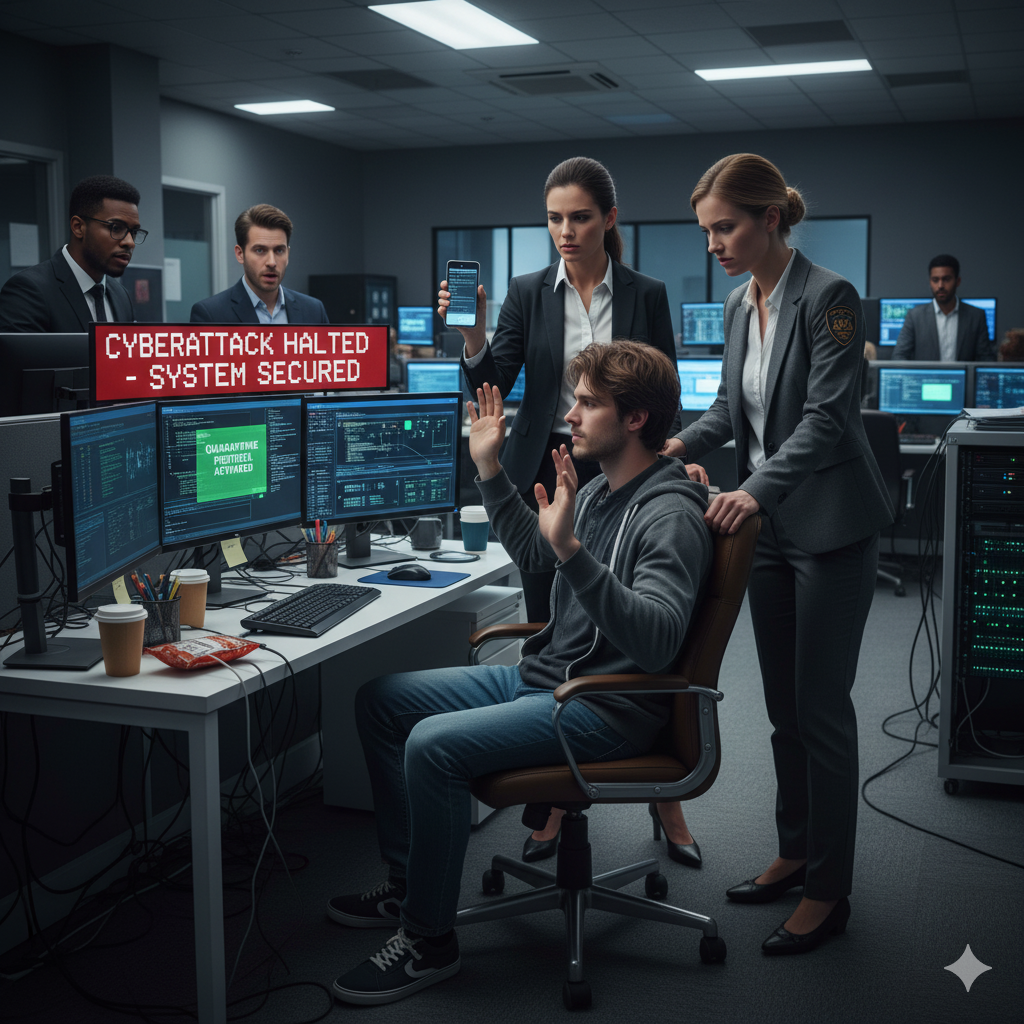
How Upgrading to Microsoft 365 Business Premium Prevented a Real Cyberattack

When it comes to cybersecurity, timing matters. Many organizations only realize the value of advanced protection after an incident occurs. Fortunately for one of our clients, that realization came before any damage was done because they acted on our recommendation to upgrade to Microsoft 365 Business Premium.

This real-life case demonstrates how proactive security planning can prevent what could have been a serious data breach.

The Challenge Low Security Score, High Risk

Before partnering with BALANCED+, the Clients Microsoft 365 Secure Score sat at 23%, well below the industry benchmark for their size and sector.

While their core Microsoft 365 services email, collaboration, and file sharing were functioning well, their existing Business Standard licensing lacked several critical layers of protection, including:

  • Advanced threat defense
  • Email encryption
  • Conditional access controls

We recommended upgrading to Microsoft 365 Business Premium, not just as a feature enhancement but as a strategic security investment. The goals were clear:

  • Improve their security score beyond 50%
  • Strengthen identity protection and threat response
  • Ensure email communications are fully encrypted

After a brief implementation and transition phase, the Client gained stronger, enterprise-grade security controls.

The Incident A Phishing Attempt in Disguise

A few weeks later, those improvements were put to the test.

One afternoon, the Clients team received an email from an unfamiliar sender. At first glance, it looked legitimate. However, when a user clicked the link, Microsoft 365 automatically blocked the account and restricted access.

The Client immediately contacted BALANCED+. Within minutes, our team investigated and identified multiple sign-in attempts from unexpected locations. The system had already prevented the breach, confirming that Business Premiums enhanced policies were working as intended.

The Turning Point Business Premium in Action

Because the Client had already upgraded, several Microsoft 365 Business Premium features activated automatically to contain the threat:

  • Microsoft Defender for Office 365 scanned and quarantined the suspicious email.
  • Conditional Access blocked unusual sign-in attempts due to non-compliant devices and locations.
  • Multi-Factor Authentication (MFA) rendered stolen credentials useless.
  • Microsoft Defender security reports provided a detailed event trace, including timestamps and IP addresses.

BALANCED+ immediately reset passwords, invalidated active sessions, blocked the sender, and confirmed there were no residual threats.

The most telling part? The attacker never made it past Microsofts first line of defense.

The Outcome Proof That Proactive Security Works

Thanks to the upgrade, the Client avoided a potential data breach, financial disruption, and reputational loss.

Their Microsoft Secure Score increased from 23% to over 50%, surpassing our target. All users now authenticate through Microsoft 365 with enhanced policies, and ongoing monitoring ensures continued improvement.

Key Takeaways Security Is Not an Expense, Its Insurance

This case reinforces a crucial message for every organization:

  • Phishing remains the most common cyberattack vector.
  • Proactive investment in tools like Microsoft 365 Business Premium can stop incidents before they escalate.
  • Continuous monitoring and user education are essential to staying ahead of attackers.

At BALANCED+, we help businesses assess their Microsoft 365 environments, implement the right licensing strategy, and optimize configurations to strengthen their security posture without unnecessary costs.

Final Thought

Cybersecurity success stories rarely make headlines and thats the point. When the right systems are in place, threats stay invisible, incidents stay contained, and business continues without interruption.

If your organization is still using Microsoft 365 Business Standard, now is the time to upgrade to Business Premium. The cost of inaction could be far greater than the investment itself.