Skip to content

Why Managed IT and Cybersecurity Should Be Combined

Managed IT and cybersecurity should be combined because modern technology has erased the line between operations and security. Every IT decision now carries security implications, from cloud access to endpoint management. Separating these functions creates communication gaps, delayed responses, and blind spots that leave businesses more vulnerable while consuming more resources.

Introduction

It’s Thursday afternoon. Your network is crawling. Users are complaining. Your IT person says there’s a bandwidth issue and needs to make routing changes.

Then your phone buzzes. Your security vendor just flagged suspicious traffic patterns and wants to lock down network access until they investigate.

You’re now stuck between two experts who don’t talk to each other, each convinced their priority comes first, while your business sits in limbo.

If this scenario feels familiar, you’re experiencing the cost of treating IT operations and cybersecurity as separate disciplines. For years, businesses kept them apart. IT kept things running. Security kept things safe. The problem? That distinction no longer exists. And the gap between them is where your biggest vulnerabilities live.

When IT and Security Operate in Silos

The separation made sense once. IT handled servers, networks, help desk tickets, and keeping email flowing. Security handled firewalls, antivirus, and compliance paperwork. Two different skill sets. Two different budgets. Two different vendors.

But silos create friction.

When your IT team wants to roll out a software update quickly and your security team wants two weeks of testing, who wins? When a network change improves performance but creates a security gap nobody noticed until after the breach, who’s responsible? When your backup system fails during a ransomware attack because IT configured it for convenience and security never reviewed the isolation protocols, who do you blame?

The answer is usually both, and also neither. That’s the problem. Accountability becomes murky. Response times slow down. Fingers get pointed. And while everyone’s figuring out whose job it was, your business is exposed.

Worse, you become the mediator. You’re translating between two teams that should be speaking the same language. You’re making judgment calls on technical decisions you weren’t trained to make. You’re carrying the mental load of connecting dots that should already be connected.

What Happens When Your Left Hand Doesn’t Know What Your Right Hand Is Doing

The consequences aren’t abstract. They show up in daily operations, often in ways you’ve normalized but shouldn’t have.

Consider patch management. Your IT team knows a critical update needs to go out. Your security team knows it closes a vulnerability attackers are actively exploiting. But nobody can agree on the testing window, the rollback plan, or who’s monitoring for issues afterward. So the patch sits. And you’re vulnerable for another week because two groups couldn’t coordinate a calendar.

Or take network changes. IT decides to segment your network to improve performance for remote workers. Great idea. Except security wasn’t consulted, and now your firewall rules don’t match your network topology. Traffic that should be blocked is flowing freely. Nobody notices until your insurance auditor points it out six months later.

Here are symptoms you might be living with right now:

  • Security tools that can’t see what IT tools are doing, creating blind spots in your infrastructure
  • Backup configurations that prioritize speed over ransomware isolation requirements
  • Access controls managed separately from endpoint management, with no unified view of who can access what
  • Incident response delays because IT has to loop in security, or security has to wait for IT to provide logs
  • Duplicate spending on tools that almost do the same thing because each team bought what they needed independently
  • Compliance gaps where neither IT nor security owns the full answer to an auditor’s question

Every single one of these represents a vulnerability. Not a theoretical one. A practical gap that attackers exploit constantly. And every one exists because two functions that should be unified are operating independently.

Every IT Decision Is Now a Security Decision

Here’s the truth that’s hard to accept: there is no such thing as a purely operational IT decision anymore.

The moment you adopted cloud services, enabled remote work, or connected your business systems to the internet, IT and security became inseparable.

When you migrate email to Microsoft 365, you’re not just moving mailboxes. You’re making decisions about data residency, access controls, multi-factor authentication, external sharing policies, and threat protection. That’s not an IT project or a security project. It’s both, completely intertwined.

When you set up VPN access for remote workers, you’re configuring network routing, bandwidth allocation, and user experience. You’re also defining your entire remote access security posture: who can connect, from what devices, with what level of verification, and what they can access once inside.

IT can’t make those decisions without security. Security can’t implement them without IT.

When you deploy new endpoints, someone has to manage the hardware, configure the software, and handle help desk tickets. Someone else has to deploy endpoint detection, monitor for threats, and enforce access controls. If those “someones” are different people working from different playbooks, you’ve just created an attack surface.

The pattern repeats everywhere:

  • Network monitoring must include threat intelligence
  • Backup strategies must account for ransomware isolation
  • Access management must integrate with endpoint management
  • Performance optimization must respect security boundaries

Every IT decision carries security weight. Every security control depends on IT infrastructure. The technology itself doesn’t recognize the distinction you’re trying to maintain.

When Auditors Ask Questions Neither Team Can Answer

Compliance frameworks understand what many businesses still don’t: IT and security are one function.

When you pursue SOC2 certification, auditors don’t ask separate questions for IT and security. They ask unified questions. Who has access to customer data? How do you monitor that access? What happens when someone leaves the company? How do you ensure backups are recoverable? How do you patch vulnerabilities? What’s your incident response process?

These aren’t IT questions or security questions. They’re operational questions that require unified answers. And if your response is “Well, IT handles this part and security handles that part,” you’ve just exposed a control gap.

Regulatory requirements like PIPEDA don’t care about your internal org chart. They care whether customer data is protected, whether you can demonstrate that protection, and whether you can respond effectively when something goes wrong. Fragmented responsibility makes demonstrating any of that nearly impossible.

But beyond formal compliance, consider competitive positioning. More customers are asking security questions before signing contracts. Larger deals require security attestations. Acquisitions demand security due diligence.

When your potential customer asks about your security program and you have to coordinate answers between two vendors, what does that signal about your operational maturity?

Your competitors who’ve unified IT and security can answer faster, with more confidence, and with documentation that tells a coherent story. They’re winning deals, not because their technology is better, but because their operational model doesn’t create artificial gaps.

The Time and Money You’re Losing to Coordination

Even if the security risks don’t worry you, the operational costs should.

You’re paying twice for similar capabilities. Your IT monitoring tools and your security monitoring tools overlap significantly, but you’re maintaining both. Your endpoint management platform and your endpoint security platform require separate contracts, separate training, and separate administrative overhead.

You’re spending time on coordination instead of execution. How many meetings does it take to plan a simple infrastructure change when IT and security have to align? How many email threads to resolve a ticket that touches both domains? How much delay in your projects because you’re waiting for the other team to do their part?

You’re duplicating effort. Both teams are reviewing logs. Both teams are managing access requests. Both teams are responding to user issues that involve both operational and security elements. Instead of one streamlined process, you have two parallel workflows that create handoff delays.

And you’re carrying the cognitive load. You’re the integration point. You’re keeping track of which vendor does what, who to call for which issue, and how to get everyone working toward the same goal. That’s mental energy that could be going toward growing your business.

The hidden tax of separation isn’t just money. It’s time, attention, and opportunity cost. It’s the strategic projects that don’t happen because you’re too busy managing operational friction.

Rethinking the Foundation

The question isn’t whether IT and security should be combined. The question is why you’re still treating them as separate when the technology, the threat landscape, and the business requirements have already merged them.

This isn’t about org charts or vendor consolidation for its own sake. It’s about recognizing that the artificial boundary you’re maintaining creates the exact vulnerabilities you’re trying to prevent.

The gaps between responsibilities are where breaches happen. The coordination overhead is where response times slow down. The fragmented visibility is where threats hide.

Your business doesn’t operate in silos. Your customers don’t experience IT separately from security. An outage is an outage whether it’s caused by a configuration error or a ransomware attack. A data breach is a data breach whether it came through a network misconfiguration or a phishing email.

The impact on your operations, your reputation, and your bottom line doesn’t respect the organizational lines you’ve drawn.

So ask yourself:

Are you maintaining separate IT and security functions because it genuinely serves your business better, or because that’s just how it’s always been done?

When was the last time the separation actually made your operations smoother, your security stronger, or your costs lower?

And if the answer is never, what’s keeping you from rethinking the model?

The businesses that are getting this right aren’t the ones with bigger budgets or more technical staff. They’re the ones who’ve recognized that unified operations are stronger operations. They’ve stopped trying to coordinate between two separate functions and started treating technology infrastructure as the single, integrated foundation it actually is.

Your technology doesn’t exist in silos. Your threats don’t respect departmental boundaries. Your business objectives certainly don’t. Maybe it’s time your service model caught up.


Learn More About Unified IT and Security Management

Want to understand how integrated IT and cybersecurity operations work in practice? Explore our guide on building a unified technology foundation that reduces complexity while strengthening protection.

Why Mississauga Businesses Need Stronger Cybersecurity and IT Support in 2025

Mississauga has quickly become one of Ontarios fastest-growing business hubs. From manufacturing and logistics to professional services and technology startups, local companies rely on digital systems more than ever. But as that digital footprint expands, so do the risks.

In 2025, small and mid-sized businesses in Mississauga are facing a sharp increase in cyber threats, including phishing scams, ransomware, and targeted data breaches. Many business owners still assume cybersecurity is something only large enterprises need to worry about. Unfortunately, cybercriminals are now deliberately targeting smaller organizations with weaker defenses.

The Local Threat Landscape

Recent reports show that over 60% of Canadian SMBs experienced at least one cyber incident in the past year. In Mississauga, the most common attacks include phishing emails, credential theft, and ransomware. The cost of recovery can be devastating, often reaching tens of thousands of dollars when accounting for downtime, data loss, and damaged reputation. For businesses that must meet compliance requirements in sectors like finance, healthcare, or manufacturing, even a single incident can lead to fines and loss of customer trust.

Building a Resilient IT Environment

A strong cybersecurity posture is more than antivirus software; its about layered protection and continuous vigilance. Here are key steps Mississauga businesses can take to strengthen their digital defenses:

1. Secure the Perimeter

Implement next-generation firewalls, VPNs, and secure Wi-Fi networks to safeguard access points and prevent unauthorized entry.

2. Protect Every Endpoint

Every laptop, mobile device, and IoT system should be protected with Endpoint Detection and Response (EDR) solutions to stop threats in real time.

3. Continuous Monitoring

Partnering with a managed security provider ensures 24/7 monitoring, threat detection, and rapid response to potential incidents.

4. Regular Vulnerability Testing

Conduct scheduled penetration tests and vulnerability assessments to uncover weaknesses before attackers do.

5. Stay Compliant

Businesses handling sensitive data must stay compliant with regulations such as SOC 2, HIPAA, or PCI DSS. Working with dedicated compliance experts helps ensure your systems are always audit-ready.

How BALANCED+ Supports Mississauga Businesses

BALANCED+ has been supporting Ontario organizations for over two decades, offering a unified approach that integrates IT engineering, cybersecurity, and compliance services. Our local team in Mississauga provides hands-on support, ensuring fast response times and personalized service.

We start by performing a comprehensive penetration test or vulnerability audit to establish a clear understanding of your current security posture. From there, we design tailored monitoring or compliance programs to protect your business against evolving threats.

Take the First Step

Cybersecurity doesnt have to be overwhelming. The first step is understanding your risks. Start with a free Cybersecurity Readiness Assessment from BALANCED+. Our experts will identify your vulnerabilities, provide actionable recommendations, and help you protect your most valuable assets.

Book your free assessment today and safeguard your Mississauga business for the future.

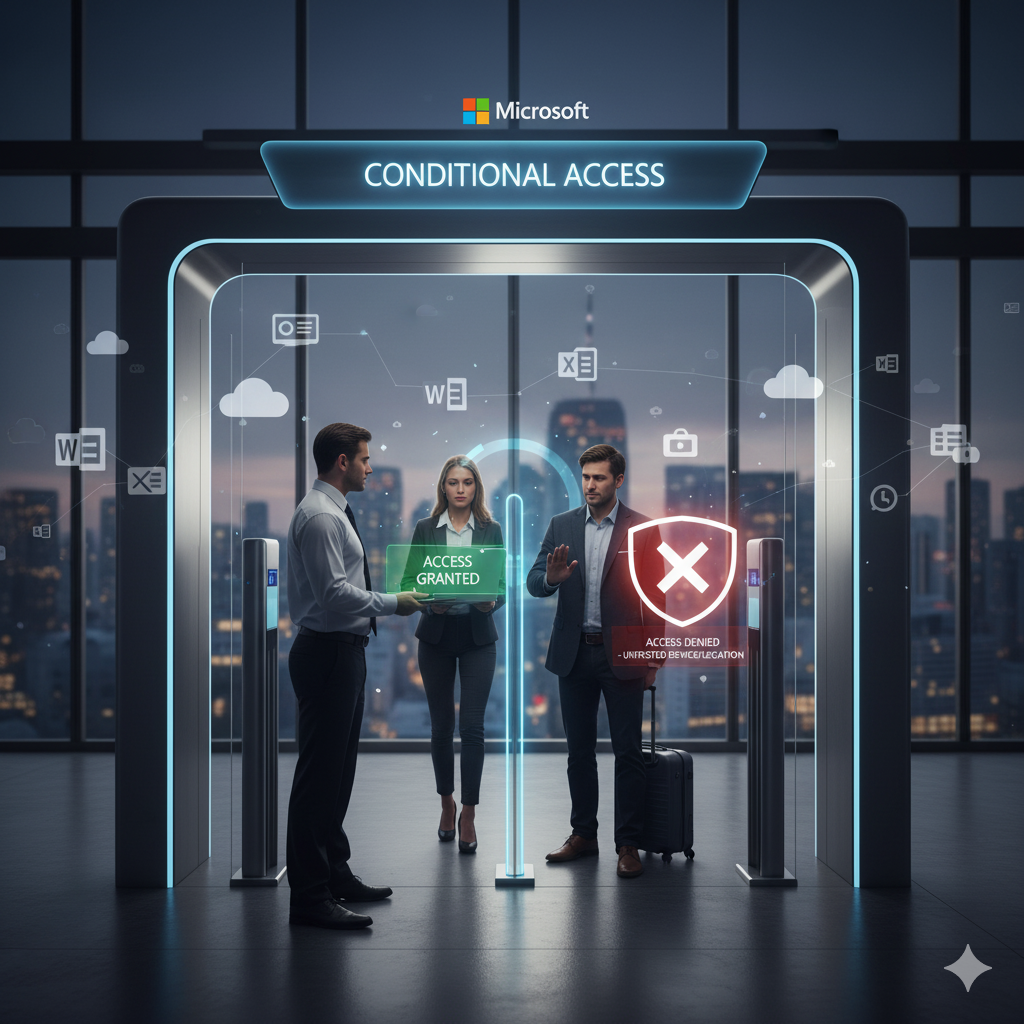
Conditional Access: The Gatekeeper Protecting Microsoft 365 in Real Life

In the last few years, work has changed. People sign in from home, cafs, airports sometimes on company laptops or personal phones. This flexibility is excellent for productivity, but also gives attackers more ways to sneak in. The truth is that passwords alone don’t cut it anymore.

That’s where Conditional Access steps in Microsoft’s quiet but powerful security feature that decides, in real time, who gets in and under what conditions.

While many organizations focus on firewalls and antivirus tools, Conditional Access has become one of the most effective ways to protect cloud environments. It works in the background of Microsoft 365 and Azure, ensuring that the right people get access only under secure conditions.

What Exactly Is Conditional Access?

Think of Conditional Access as the digital version of a security guard who knows everyone by face, checks their badge, and ensures their device isn’t carrying any risk before letting them in.

Instead of just asking for a password, it looks at context where you’re signing in from, what device you’re using, and how risky that sign-in looks.

If something seems off, it can ask for multi-factor authentication (MFA), restrict access, or block it altogether.

Some of the things Conditional Access considers:

  • Who you are and what role you have
  • Whether your device meets company security standards
  • Your location and network type
  • The sensitivity of the app or data you’re trying to open

That means someone working in the office on a managed laptop might log in instantly, while someone connecting from abroad or using an outdated device could face extra verification steps. Its intelligent, adaptive, and always learning from risk patterns. Conditional Access builds multiple layers of defense before data exposure.

Why It Actually Matters

Conditional Access is a cornerstone of Microsoft’s Zero Trust approach

a model that assumes no one and nothing is automatically trustworthy. It continuously verifies identity, device health, and risk before allowing entry.

Security Without Slowing People Down

Conditional Access operates silently in the background. Most users won’t notice it until something suspicious occurs. When that happens, it adds enough friction maybe a quick MFA prompt to let them continue safely. It’s a balance between convenience and protection, keeping users productive while reducing risk.

Smarter Than a Simple Lock and Key

It adapts fast. If an employee tries to log in from a new country or device, it doesn’t panic it reacts intelligently, requesting extra proof or limiting access. Administrators can create rules that reflect real-world needs, like allowing mobile access to email but enforcing compliance for more sensitive services like SharePoint or Teams.

Works Hand-in-Hand with Intune

When integrated with Microsoft Intune, Conditional Access checks whether a device is encrypted, updated, and protected. If not, access is denied until the device complies with policy. Together, they create a closed loop Intune manages device health, and Conditional Access enforces it automatically. That’s proactive security, not reactive cleanup.

Clear Records, Easier Compliance

Every login and policy decision is logged in Azure AD. When auditors ask who accessed what and when, the answers are ready. These logs aren’t just for compliance; they help IT teams trace suspicious activity and improve future policies.

A Real Example from Everyday IT Life

Picture this:

An employee travels and tries to open company files on a personal tablet. Intune doesnt manage the device; the sign-in originates outside the country. Conditional Access quietly steps in, checks the situation, and says, Not this time.

No angry calls to IT. No security gaps. Just automation doing its job. This simple rule can prevent what would otherwise be a major data breach.

The BALANCED+ Approach

At BALANCED+, we’ve seen how small gaps in access control can lead to serious issues. A single misconfigured rule or unmonitored device can open the door to attackers.

That’s why we help businesses design Conditional Access policies that match how their teams actually work not just what’s written in manuals. Some organizations need strict controls for sensitive data; others value flexibility and remote collaboration. We aim to find that balance tight enough to be secure, flexible enough to keep work flowing.

When done properly, Conditional Access doesn’t feel restrictive. It feels invisible. And that’s precisely how good security should work always there, quietly protecting what matters most.

How to Choose a Penetration Testing Company in Toronto

Introduction

Cyber threats are rising across Canada, and Toronto businessesespecially in industries like finance, healthcare, manufacturing, and professional servicesare prime targets. A single breach can cost thousands in downtime, fines, and lost trust. Thats why penetration testing (pentesting) has become a must-have for mid-sized businesses in the region.

But heres the challenge: not all penetration testing companies are the same. Choosing the right partner in Toronto means looking beyond flashy promises and digging into their expertise, methodology, and ability to deliver actionable results. This guide breaks down exactly what you should look for when evaluating a penetration testing company in Toronto.

Why Penetration Testing Matters for Toronto Businesses

Penetration testing simulates real-world cyberattacks to expose vulnerabilities before criminals exploit them. For Toronto organizations, this is about more than just securityits also about compliance and trust.

Regulatory Alignment: Many Toronto businesses must comply with PIPEDA, SOC 2, PCI DSS, or HIPAA. Pentests help identify compliance gaps.
Industry Reputation: A breach can damage relationships with customers, investors, and partners.
Cost Savings: Preventing a breach is significantly cheaper than recovering from one.

In short, pentesting isnt a nice-to-haveits the foundation of a resilient cybersecurity strategy.

Key Qualities to Look for in a Toronto Pentest Company

Industry Experience

Look for a provider with proven experience in your sector. A Toronto financial firms needs differ from a healthcare clinics, and industry-specific knowledge ensures the testing is relevant and effective.

Comprehensive Testing Approach

A good pentest doesnt just scan for weaknessesit simulates real threats. Ensure your partner offers:

  • External Testing: How outsiders can break in.
  • Internal Testing: What damage could occur if an attacker gains internal access.
  • Web Application Testing: Security of client portals, apps, and online platforms.
  • Wireless & Network Testing: Ensuring Wi-Fi and internal networks arent weak spots.

Compliance Knowledge

Your pentest results should map directly to compliance requirements. A strong Toronto provider will highlight where you fall short on frameworks like SOC 2 or PCI DSS and recommend fixes.

Actionable Reporting

Beware of generic, automated reports. The best companies deliver clear, prioritized remediation steps that your IT or security team can act on immediately.

Local Presence & Support

Why choose Toronto-based? Because a local partner understands regional compliance rules, can collaborate onsite if needed, and offers support in your time zone. Local expertise also builds trustcritical when dealing with sensitive data.

Red Flags to Avoid

When evaluating penetration testing providers, watch out for:

  • Reports with no human analysis, just automated scan outputs.
  • One-and-done testing with no guidance on fixing issues.
  • Lack of transparency about methodology or pricing.

These are signs the provider isnt focused on building a long-term security partnership.

From Pentesting to a Long-Term Cybersecurity Strategy

Pentesting is a launchpadit shows you where the cracks are. The next step is closing those gaps and moving toward stronger protection. Many Toronto businesses take their pentest results and transition into:

  • Monitoring Services: Ongoing detection and response (EDR, SOC, SIEM).
  • Compliance Services: Building a governance framework with dedicated analysts.
  • Regular Testing: Scheduling pentests annually or after major system changes.

By treating pentesting as the first step in a roadmap, your organization creates a layered defense that grows with your business.

Conclusion

If youre a Toronto business evaluating penetration testing providers, focus on industry expertise, comprehensive testing, compliance knowledge, actionable reporting, and local presence. These factors ensure youre not just paying for a testyoure investing in a safer future for your business.

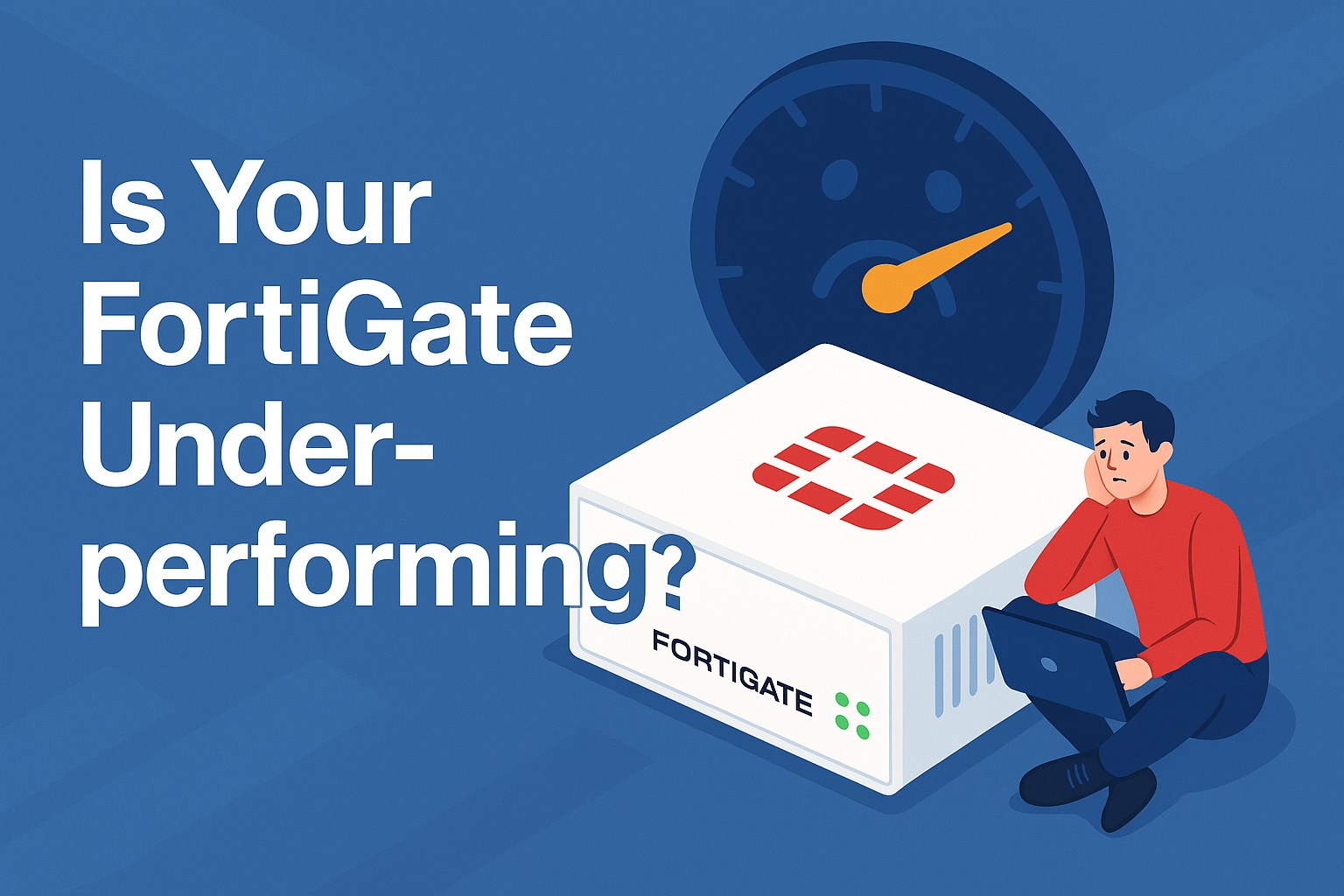
How FortiGate Integrates with Your SOC

Security teams today face an overwhelming volume of alerts. Every firewall log, intrusion attempt, or suspicious connection request generates notifications that demand investigation. This constant stream of noise leads to alert fatigue, where critical threats risk being overlooked, and incident response times slow down just when speed matters most. For many organizations, the challenge is not just detecting threats but knowing which alerts to prioritize and how to respond in time.

FortiGate firewalls are more than perimeter defense tools. By integrating directly with a Security Operations Center (SOC) or a Managed Detection and Response (MDR) service, FortiGate becomes a powerful intelligence engine that strengthens every stage of threat detection and response. This integration shifts the role of FortiGate from simply generating logs into actively shaping faster, smarter, and more effective incident response.

The Problem: Alert Fatigue and Slow Response

Traditional firewalls generate thousands of alerts every day, most of which never translate into actionable threats. Analysts spend hours sifting through this noise, trying to separate the false positives from genuine risks. The result is burnout, misprioritization, and delayed incident response. Attackers exploit these delays by escalating their presence within the network before security teams can act.

Without a system for correlation and context, teams are stuck in a reactive posture. Every second lost in detection and triage increases the risk of data theft, operational disruption, and reputational damage.

How FortiGate Powers Smarter SOC Operations

When FortiGate integrates with a SOC or MDR platform, its rich telemetrytraffic flows, intrusion prevention alerts, SSL inspection logs, application control data, and threat intelligence feedsno longer stands alone. Instead, this data is correlated across multiple layers, including endpoints, user behavior, and cloud workloads. This unified view allows analysts to:

Detect patterns of coordinated attacks across network, endpoint, and cloud systems.
Automatically filter out false positives to reduce wasted analyst time.
Prioritize alerts based on real business impact and severity.
Automate workflows within SIEM or SOAR platforms to streamline response.

From Raw Alerts to Actionable Intelligence

The true power lies in transforming raw data into meaningful action. With FortiGate integrated into SOC or MDR workflows, organizations can automate common responses such as blocking malicious IP addresses, quarantining compromised devices, and enforcing updated firewall policies instantly. Instead of waiting for manual intervention, the system reacts in real time to contain threats.

This not only reduces the dwell time of attackers inside your environment but also dramatically improves the efficiency of your security team. Analysts can shift their focus away from routine investigations and toward higher-value tasks such as improving detection rules, refining policies, and enhancing long-term security strategy.

The Business Benefits of Faster Incident Response

For business leaders, this integration delivers tangible outcomes. Reduced response times mean less downtime, minimized data loss, and lower overall risk exposure. By closing the gap between detection and containment, organizations strengthen their resilience and maintain customer trust. In highly regulated industries, faster response also supports compliance obligations, ensuring audit readiness and reducing the chance of costly penalties.

Why Now Is the Time to Act

Cyberattacks are becoming faster, more automated, and more sophisticated. Relying on traditional detection and manual response methods leaves organizations vulnerable. By connecting FortiGate with your SOC or MDR, you create a defense system that matches the speed and precision of modern threats.

Take the Next Step

Alert fatigue and delayed response dont have to be the reality for your security team. With BALANCED+ as your cybersecurity partner, you can integrate FortiGate into your SOC operations or MDR services for faster, smarter, and automated incident response.

Talk to our team today about how we can help you assess your current security posture, implement FortiGate integrations, and design a strategy that strengthens your organizations ability to respond to threats in real time.

Contact us now to schedule a free consultation and start building a more resilient cybersecurity program.

How to Get the Most Out of Your KnowBe4 Program

Investing in KnowBe4 is one of the smartest moves an organization can make to reduce human risk and strengthen its cybersecurity posture. But simply deploying the platform isnt enough. To see real results, companies need to actively shape how the program is introduced, delivered, and sustained.

The good news: with the right approach, KnowBe4 can do more than check a compliance boxit can transform your workforce into a vigilant, security-aware culture. Heres how to get the most out of your KnowBe4 program.

Secure Executive Support from the Start

Employees take their cues from leadership. When executives not only endorse but also participate in KnowBe4 training, it signals that security awareness is a company-wide priority.

  • Roll out the program with a clear message from leadership about why it matters.
  • Share how security threats can impact business operations and reputation.
  • Encourage leaders to lead by examplecompleting modules and taking phishing tests alongside staff.

This alignment ensures the program is seen as integral, not optional.

Customize Training for Relevance

Generic training quickly loses impact. KnowBe4s real strength lies in its flexibility, so tailoring is key.

  • Assign department-specific training modulesfinance teams should see payment fraud scenarios, while HR should focus on data privacy risks.
  • Use micro-learning sessions to reinforce lessons without creating training fatigue.
  • Design phishing simulations that mirror the emails your employees are most likely to encounter.

Relevant, role-based training makes employees more engaged and better prepared for real-world threats.

Keep Engagement High with Variety

Security training works best when it feels fresh. To prevent employees from tuning out, introduce variety into the program.

  • Rotate between videos, quizzes, newsletters, and phishing simulations.
  • Gamify learning by offering small rewards or recognition for strong performance.
  • Randomize phishing tests to avoid patterns employees can predict.

Variety keeps employees alert and invested in the program, ensuring lessons stick.

Build a Culture of Continuous Learning

Cybersecurity threats evolve, and training must evolve with them. The most successful KnowBe4 programs treat awareness as ongoing, not one-and-done.

  • Schedule regular refreshers to reinforce key principles.
  • Celebrate employees who report phishing attempts or suspicious activity.
  • Establish security champions across departments to spread awareness and share best practices.

This creates a long-term culture where employees become proactive defenders, not passive learners.

Use Analytics to Improve Results

One of KnowBe4s biggest advantages is its reporting capabilities. To maximize ROI, use these insights to refine and improve your program.

  • Track phishing click rates and completion metrics to spot areas of weakness.
  • Benchmark results against industry standards to see how you measure up.
  • Adjust training intensity for departments or roles that consistently show higher risk.

Data-driven improvements ensure your program doesnt stagnate but grows stronger over time.

Conclusion

Getting the most out of KnowBe4 means moving beyond simple deployment. Its about securing leadership buy-in, tailoring content, keeping employees engaged, embedding training into culture, and using data to improve continuously. With these steps, your KnowBe4 program becomes more than trainingit becomes a cornerstone of your companys cybersecurity defense.

Why is Single Sign-On (SSO) So Important

In the modern workplace, employees use dozens of applications every dayemail, CRMs, project management tools, collaboration platforms, HR systems, and more. Each of these tools often requires its own login, creating friction and leading to common problems like password fatigue, weak password practices, and increased vulnerability to cyber threats. Single Sign-On (SSO) offers a smarter way to authenticate by making the login process seamless, centralized, and more secure.

What is SSO?

Single Sign-On is an authentication method that allows users to log in once and gain secure access to multiple applications without needing to re-enter their credentials for each service. It functions like a digital passport for your business environment: one secure login unlocks every approved tool, eliminating redundant password prompts and streamlining daily workflows.

Why Organizations Benefit from SSO

Ease of Use

  • One Login, Many Apps Employees only need to remember one strong password rather than dozens.
  • Reduced Login Time Workflows move faster without constant authentication interruptions.
  • Fewer Password Resets With fewer credentials to manage, IT support teams spend far less time resolving forgotten password issues.

Enhanced Security

  • Multi-Factor Authentication (MFA) SSO integrates seamlessly with MFA, ensuring accounts remain protected even if a password is compromised.
  • Centralized Access Control Administrators can instantly grant or revoke access, a crucial advantage when onboarding or offboarding employees.
  • Reduced Password Exposure Fewer login events mean fewer opportunities for attackers to exploit credentials.

Better Compliance

Regulatory frameworks like GDPR, HIPAA, and ISO 27001 place strict requirements on how organizations secure and monitor access to sensitive data. SSO helps by providing:

  • Centralized Logging Track every access attempt in one place, making audits and compliance reporting much simpler.
  • Improved Governance Ensure that only the right people have access to the right resources at the right time.
  • Reduced Human Error Automated controls minimize mistakes that often occur when managing access manually.

How Easy is SSO to Implement?

Modern SSO platforms such as Azure AD, Okta, Ping Identity, and Google Workspace make implementation accessible even for organizations without large IT teams. The rollout generally follows a straightforward process:

  1. Integrate with Your Identity Provider (IdP) Connect SSO to your existing directory, like Microsoft Entra ID (formerly Azure AD), to synchronize users and credentials.
  2. Add Applications Most enterprise applications support SSO through common standards like SAML, OAuth, or OpenID Connect.
  3. Configure User Groups and Roles Assign permissions by department or role to ensure least-privilege access is enforced by default.
  4. Enable MFA Strengthen security by requiring an additional verification step, such as an SMS code, authenticator app, or hardware token.
  5. Test and Roll Out Start with a pilot program, collect user feedback, fine-tune policies, and then scale across the organization.

Common Misconceptions About SSO

  • SSO makes us less secure because if one password is stolen, everything is compromised. In reality, pairing SSO with MFA makes it significantly stronger than managing multiple weak passwords.
  • SSO is too complex to set up. Modern solutions are designed for ease of deployment, with many apps offering out-of-the-box support.
  • Its only for large enterprises. Small and mid-sized businesses benefit just as much, especially when IT resources are limited.

Real-World Benefits

Organizations that adopt SSO often see immediate, measurable improvements:

  • Productivity Gains Employees spend less time dealing with login issues and more time on meaningful work.
  • IT Efficiency Support tickets related to password resets drop, freeing up IT teams to focus on strategic initiatives.
  • Security Posture Centralized monitoring and access controls reduce risks tied to shadow IT and credential sprawl.

Why SSO is a Win-Win

For employees, SSO means a faster, frustration-free workday. For IT teams, it enables centralized control and reduces manual workloads. For security leaders, it delivers stronger oversight, fewer vulnerabilities, and better compliance alignment.

SSO is not just a convenience featureits a security investment that pays off in productivity, risk reduction, and regulatory readiness. By embracing it, organizations of all sizes can create a more seamless digital experience for employees while protecting sensitive data and strengthening their overall cybersecurity posture.

Conclusion

As businesses continue to expand their digital ecosystems, the need for streamlined, secure authentication has never been greater. Single Sign-On simplifies the user experience while enhancing security and compliance in ways that traditional password management never could. At BALANCED+, we help organizations implement modern identity solutions like SSO to reduce risk, save time, and empower teams. Investing in SSO is not just about convenienceits about building a stronger, more secure foundation for the future of work.

What’s Happening? The unlocked door.

Think about it. We rely on firewalls to protect our networks from the outside world. They are our first line of defense. But what happens when the attackers target the firewall itself?

Too often, an admin portal is accessible directly from the public internet without proper restrictions. Thats when the automated scripts start rattling the doorknob. These aren’t just random guesses; they are sophisticated bots armed with massive databases of leaked usernames, passwords, and common combinations. They try to log in relentlessly, often starting with default usernames like admin or root and a dictionary of common passwords. If they find a matcheven a weak onethey’re in. Once an attacker has control of your firewall, the consequences are devastating. They can disable its security features, reconfigure it to allow malicious traffic, or install a persistent backdoor that provides them with continued access. Its no longer your firewall; it’s a beachhead for a full-scale compromise of your network.

Its like locking your house but leaving the key under the mat with a note that says, “It’s right here!”

How to Protect Your Fortress

The good news is that preventing these attacks is often about configuration, not complexity. Here are the steps I always recommend to make sure your firewall isn’t the weakest link.

1. Configure Trusted Hosts. This is my number one tip, and its arguably the most effective single step you can take. Most firewalls have a feature that lets you specify which IP addresses are allowed to even attempt a login to the admin portal. By limiting access to known internal or static IPs, you can block 99% of brute force attempts before they even start. If the attacker cant reach the login page, they can’t guess a password. This simple act of limiting exposure is a core principle of a “zero trust” security model, and it’s something every network administrator should implement immediately.

2. Restrict Public Access with Security Policies. Even with Trusted Hosts in place, it’s smart to have an explicit security policy that denies all traffic to your firewalls management ports from the public internet. Think of this as a “default deny” rule. It’s an extra layer of protection that reinforces your Trusted Hosts list, ensuring that any traffic that isn’t explicitly allowed is automatically rejected. This is a crucial fail-safe measure that further hardens your firewall.

3. Use 2FA, Disable Unused Accounts, and Enforce Strong Passwords. This is security 101, but it’s especially critical for administrative accounts. Multi-factor authentication (MFA) is a game-changer; even if an attacker guesses the password, they still need a second factor (like a code from your phone or an authenticator app) to get in, making a compromise exponentially more difficult. Additionally, get rid of old or unused accounts. Every active account is a potential attack vector, and by minimizing them, you reduce your overall risk. Finally, set strict password policies that make it impossible to use weak, predictable credentials. A good password should be long and complex, using a mix of letters, numbers, and symbols.

4. Monitor and Alert on Failed Login Attempts. Your firewall’s logs are a treasure trove of information. Don’t just collect themanalyze them. Set up monitoring and alerts for repeated failed login attempts from a single IP address. Look for patterns like a high volume of login attempts over a short period of time or from a strange geographic location. This allows you to quickly spot a brute force attack in progress and block the source IP, shutting it down immediately. Proactive monitoring is key to catching threats before they succeed.

Bonus Tip: Move Management Behind a VPN

For the ultimate level of security, dont expose management access on a public interface at all. Instead, require admins to connect to a VPN or a dedicated secure channel before they can even access the firewalls admin portal. A VPN creates an encrypted tunnel, effectively making the management interface a private resource that is only accessible to authenticated users. This makes it almost impossible for an attacker to reach your device from the public internet and is the gold standard for managing critical network infrastructure.

A misconfigured firewall is a vulnerability waiting to be exploited. By taking these small, deliberate steps, you can turn your first line of defense into a true security stronghold and stop attackers from rattling the doorknob.

FortiGuard Services Explained: Maximizing Your FortiGate’s Threat Intelligence

Achieving robust, proactive cybersecurity across your enterprise hinges on leveraging real-time threat intelligence feeds that adapt faster than adversaries, a core capability BALANCED+ integrates into our comprehensive IT consulting services through solutions like FortiGuard. Your FortiGate firewall is a powerful network security appliance, but its true potential in defending against sophisticated cyber threats is unlocked by the continuous, dynamic updates provided by FortiGuard Services. These services transform your FortiGate from a static defense into a living, intelligent security platform, constantly updated with the latest global threat intelligence.

Understanding FortiGuard Services: The Brains Behind Your FortiGate

FortiGuard Labs, Fortinet’s global threat intelligence and research organization, continuously monitors the cyber landscape, collecting and analyzing data from millions of network sensors worldwide. This intelligence is then distilled into actionable updates and delivered to FortiGate devices through FortiGuard Services. Think of it as a constant stream of vital information, enabling your firewall to make intelligent, real-time decisions about what traffic to allow and what to block. This proactive defense is critical for any organization pursuing digital transformation securely.

Each FortiGuard Service focuses on a specific aspect of threat detection and prevention, working in concert to provide a multi-layered defense. Heres a breakdown of the key services that empower your FortiGate:

Intrusion Prevention System (IPS)

The FortiGuard IPS service protects against known and zero-day exploits by detecting and preventing malicious network traffic that attempts to exploit vulnerabilities in your systems. It analyzes network traffic for suspicious patterns and signatures associated with known attacks, blocking them before they can compromise your network. This is a fundamental component of any robust cybersecurity strategy.

Anti-Malware and Antivirus

This service provides real-time protection against viruses, spyware, ransomware, and other forms of malware. It uses a combination of signature-based detection, heuristic analysis, and cloud-based lookups to identify and block malicious files as they attempt to enter or spread within your network. Keeping this service up-to-date is paramount for preventing widespread infections and ensuring business continuity.

Web Filtering

FortiGuard Web Filtering allows organizations to control access to specific categories of websites, protecting users from malicious sites, phishing attempts, and inappropriate content. It leverages a massive database of categorized URLs, updated continuously, to enforce corporate internet usage policies and reduce the risk of web-based threats. This is crucial for maintaining productivity and reducing exposure to risk.

Application Control

With Application Control, your FortiGate can identify and manage thousands of applications running on your network, regardless of the port or protocol they use. This service allows you to block, allow, or limit bandwidth for specific applications, enhancing security by preventing the use of risky or unauthorized applications, and optimizing network performance. For businesses undergoing business process optimization, this level of control is invaluable.

FortiSandbox Cloud

While not a traditional FortiGuard feed, FortiSandbox Cloud is a critical extension that integrates seamlessly with FortiGate. It provides advanced threat detection by executing suspicious files in a safe, isolated virtual environment (sandbox). This allows the system to observe the file’s behavior and identify previously unknown (zero-day) threats without risking your network. Once a new threat is identified, its intelligence is fed back into the FortiGuard threat intelligence network, benefiting all FortiGate users globally.

Anti-Spam

The Anti-Spam service protects your email infrastructure from unsolicited bulk email, phishing attempts, and other email-borne threats. It employs various techniques, including IP reputation, URL filtering, and content analysis, to accurately detect and filter out malicious emails, safeguarding your communication channels.

Security Rating Service

This service provides an objective, real-time assessment of your FortiGates security posture. It analyzes your configuration against Fortinets best practices and global threat intelligence, offering actionable recommendations to improve your security effectiveness. This proactive assessment is a key component of effective cybersecurity solutions.

IoT Detection Service

As the number of connected devices (IoT) grows, so does the attack surface. FortiGuard IoT Detection identifies and categorizes IoT devices on your network, providing visibility and enabling you to apply specific security policies to these often-vulnerable endpoints.

How FortiGuard Services Maximize Your FortiGate’s Threat Intelligence

The power of FortiGuard Services lies in their ability to provide your FortiGate with a constantly refreshed library of threat intelligence, transforming it into a dynamic defense mechanism. This translates into several critical benefits:

  • Real-time, Proactive Protection
    FortiGuard Labs updates are delivered continuously, often every few minutes. This ensures your FortiGate is equipped with the very latest information on emerging threats, allowing it to block attacks before they can impact your operations. This real-time defense is crucial for protecting sensitive data and maintaining operational continuity.
  • Automated Updates and Reduced Overhead
    The subscription model means these updates are delivered automatically, significantly reducing the manual effort required to keep your security infrastructure current. For businesses relying on managed IT services, this automation translates into more efficient operations and lower administrative burdens for your IT team.
  • Comprehensive Layered Security
    By combining various FortiGuard services, your FortiGate provides a multi-layered defense that addresses different attack vectors. From network intrusion to web-based threats and sophisticated zero-day malware, each service contributes to a holistic security posture. BALANCED+ specializes in integrating these layers for maximum effectiveness.
  • Enhanced Compliance and Risk Management
    Staying compliant with industry regulations (e.g., GDPR, HIPAA, PCI DSS) often requires robust security controls. FortiGuard Services help meet these requirements by providing advanced threat protection, detailed logging, and reporting capabilities. Our industry-specific expertise, particularly in sectors like automotive, manufacturing, fintech, SaaS, mining, and fenestration, ensures solutions are tailored to your unique compliance needs.
  • Optimized Performance and Business Continuity
    By blocking malicious traffic at the perimeter, FortiGuard services prevent threats from consuming valuable network resources or causing system downtime. This ensures your critical business applications remain available and perform optimally, supporting your overall business process optimization goals.

BALANCED+: Your Partner in FortiGuard Optimization and Cybersecurity Solutions

Deploying and managing FortiGuard Services effectively requires specialized knowledge and ongoing attention. At BALANCED+, we offer end-to-end IT engineering, software development, and technical support to ensure your FortiGate and its FortiGuard subscriptions are fully optimized for your specific business environment. We go beyond simple deployment, focusing on how these powerful tools integrate into your broader cybersecurity solutions and contribute to your strategic objectives.

Our approach includes:

  • Strategic IT Consulting Services: We assess your current security posture, identify vulnerabilities, and design a FortiGuard implementation strategy that aligns with your business goals and risk tolerance.
  • Expert FortiGate Configuration and Deployment: Our certified engineers ensure your FortiGate is configured to leverage every relevant FortiGuard service optimally, providing maximum protection with minimal false positives.
  • Proactive Managed IT Services: We offer ongoing monitoring, management, and optimization of your FortiGate and FortiGuard subscriptions, ensuring they remain effective against the latest threats without burdening your internal resources.
  • Advanced Cybersecurity and Compliance Services: Beyond FortiGuard, we provide a full spectrum of cybersecurity services, including vulnerability assessments, penetration testing, incident response planning, and compliance auditing, tailored to regulated and complex industries.
  • Business Intelligence and Data Analytics Integration: We help you leverage the security logs and data generated by your FortiGate and FortiGuard services to gain actionable insights, driving informed decisions about your IT infrastructure and security investments.
  • Tailored Solutions for Industry-Specific Challenges: Whether you’re in automotive, manufacturing, fintech, SaaS, mining, or fenestration, our industry-specific expertise allows us to craft cybersecurity strategies that address your unique operational challenges and regulatory requirements, supporting your digital transformation journey.

Leveraging FortiGuard Services with the expertise of BALANCED+ means more than just having a firewall; it means having an intelligent, adaptive, and continuously updated defense system guarding your critical digital assets.

Conclusion

FortiGuard Services are indispensable for maximizing the threat intelligence and defensive capabilities of your FortiGate firewall. They provide the essential, real-time updates and advanced security features necessary to combat today’s sophisticated cyber threats effectively. Partnering with BALANCED+ ensures your FortiGuard investment is fully optimized, delivering robust, proactive cybersecurity solutions tailored to your unique business needs.

Contact BALANCED+ today to discuss how our expert IT consulting services can enhance your FortiGate’s threat intelligence and fortify your enterprise’s defenses.

An Introduction to Sophos Firewall for SMBs

Small and medium-sized businesses (SMBs) face many of the same cyber threats as large enterprises, yet they often operate with smaller IT teams and tighter budgets. This makes choosing the right network security solution critical. Sophos Firewall for SMBs is designed to deliver enterprise-grade protection in a package that is simple to deploy, manage, and maintain, allowing growing businesses to protect themselves without unnecessary complexity.

A User-Friendly Interface That Works for You

One of the most appealing aspects of Sophos Firewall is its intuitive, clean dashboard. The interface has been designed with ease of use in mind, meaning even businesses without a full-time IT security team can navigate and configure settings with confidence. Upon logging in, you are greeted with a visual overview of your network activity, security alerts, and performance metrics. Quick-access controls make it simple to apply changes, block threats, or adjust policies on the fly.

The dashboard is not cluttered with unnecessary information; instead, it prioritizes the most important insights so you can act quickly. Wizards and guided setup screens walk you through common tasks such as VPN setup, firewall rule creation, and security policy adjustments. For SMB owners and managers, this means less time spent deciphering complex menus and more time focusing on running the business.

Comprehensive Features for SMB Network Protection

Sophos Firewall combines multiple layers of defense in a single solution. This eliminates the need for SMBs to purchase and manage multiple security products, streamlining the IT environment while reducing operational costs. Some of the most notable features include:

  • Next-Generation Threat Protection that identifies and blocks malware, ransomware, and phishing attempts before they can impact your systems.
  • Application Control to manage which applications can access your network, ensuring that bandwidth is reserved for business-critical tools.
  • Web Filtering to protect users from accessing malicious websites and to enforce acceptable use policies.
  • Traffic Shaping and QoS that prioritize important business traffic to ensure consistent performance.
  • Comprehensive Reporting that delivers detailed insights into network activity, user behavior, and security events.

These features give SMBs the ability to maintain a strong security posture without the complexity of managing multiple, disjointed systems.

Basic Setup Made Simple

Setting up a firewall can be intimidating, especially for smaller businesses without a dedicated IT staff. Sophos addresses this by making deployment straightforward and stress-free. The process typically involves connecting the device to your network, accessing the web-based interface, and following the guided setup wizard. Pre-configured templates allow you to apply industry best practices instantly, while still giving you the flexibility to customize settings for your unique environment.

From initial power-on to having active security protections in place, most SMBs can complete the setup in under an hour. This means you can get up and running quickly without sacrificing the quality of your security configuration.

Secure VPN Connectivity for a Modern Workforce

The modern workforce is more mobile and distributed than ever before. Whether your employees are working from home, on the road, or from multiple office locations, secure and reliable connectivity is essential. Sophos Firewall offers both site-to-site and remote access VPN options, making it easy to connect people and offices securely.

The VPN setup process is guided by step-by-step wizards that minimize the chances of misconfiguration. Site-to-site VPNs are ideal for linking multiple office locations, while remote access VPNs allow employees to securely connect from any location. All connections are fully encrypted, ensuring sensitive business data remains protected even when accessed from public networks.

Unified Management for Greater Efficiency

Managing security across multiple devices, locations, or users can be time-consuming and error-prone. Sophos solves this challenge with its centralized management platform, Sophos Central. From one dashboard, you can configure firewall policies, monitor security alerts, and apply updates across your entire organization.

This unified approach not only simplifies day-to-day management but also enhances security by ensuring consistent policy enforcement. SMBs benefit from reduced administrative overhead, fewer configuration errors, and improved visibility into their overall security posture.

Why Sophos Firewall is a Smart Choice for SMBs

For SMBs looking to strike the right balance between robust protection and ease of management, Sophos Firewall is a compelling choice. Its user-friendly interface, comprehensive feature set, and streamlined deployment process make it accessible to businesses of all sizes. The addition of secure VPN capabilities and centralized management further strengthens its value, ensuring that SMBs can stay protected without adding unnecessary complexity.

By consolidating critical security functions into a single, easy-to-manage platform, Sophos Firewall empowers SMBs to focus on growth, customer satisfaction, and innovationwithout leaving their networks vulnerable to modern cyber threats.