You are looking at a quote for a firewall refresh, and the model number ends in G instead of F. Nobody has explained what changed, the raw firewall throughput number on the new box looks worse than the one you already own, and the price is not lower. That is a reasonable place to get stuck.
This post covers what actually changed between the FortiGate F-series and the G-series, which numbers matter, and when replacing an F-series unit is worth the money.
The G-series is Fortinet’s current hardware generation and the F-series is the one before it. The difference is not incremental. G-series models run on a newer security processor that roughly doubles the throughput your firewall can sustain while inspection is switched on, which is the only state a firewall is ever actually in. The catch is that the marketing datasheet leads with raw firewall throughput, a number that improved far less, so a straight spec-sheet comparison makes the upgrade look smaller than it is.
Compare F-series and G-series on threat protection and SSL inspection throughput, not on raw firewall throughput. A FortiGate 70G delivers 1.3 Gbps of threat protection against the 60F’s 700 Mbps, and 1.4 Gbps of SSL inspection against 630 Mbps. That is where the generational gain lives.
FortiGate G-Series
The FortiGate G-series is Fortinet’s current generation of next-generation firewall hardware, introduced from 2024 onward. Entry and mid-range G-series models consolidate the CPU, network processor, and content processor onto a single security processor, replacing the separate network and content chips used across the previous F-series generation. Current models run from the branch-class 30G through the data-centre 3800G.
What is the difference between the FortiGate F-series and G-series?
The difference is the silicon. F-series appliances pair a network processor with a separate content processor, so packets hand off between chips as they move through inspection. G-series entry and mid-range models put those functions on one integrated security processor. Fewer handoffs means the box holds its performance when you turn on the features you bought it for: intrusion prevention, application control, antivirus, and TLS decryption.
Everything else stays familiar. Both generations run the same FortiOS, the same policy model, the same FortiGuard subscriptions, and the same FortiManager and FortiAnalyzer tooling. This is a hardware generation change, not a platform change, and that matters when you are estimating migration effort.
| F-series (previous) | G-series (current) | |
|---|---|---|
| Launched | Roughly 2019 to 2021 | 2024 onward |
| Processing design | Separate network and content processors | Integrated security processor on entry and mid-range models |
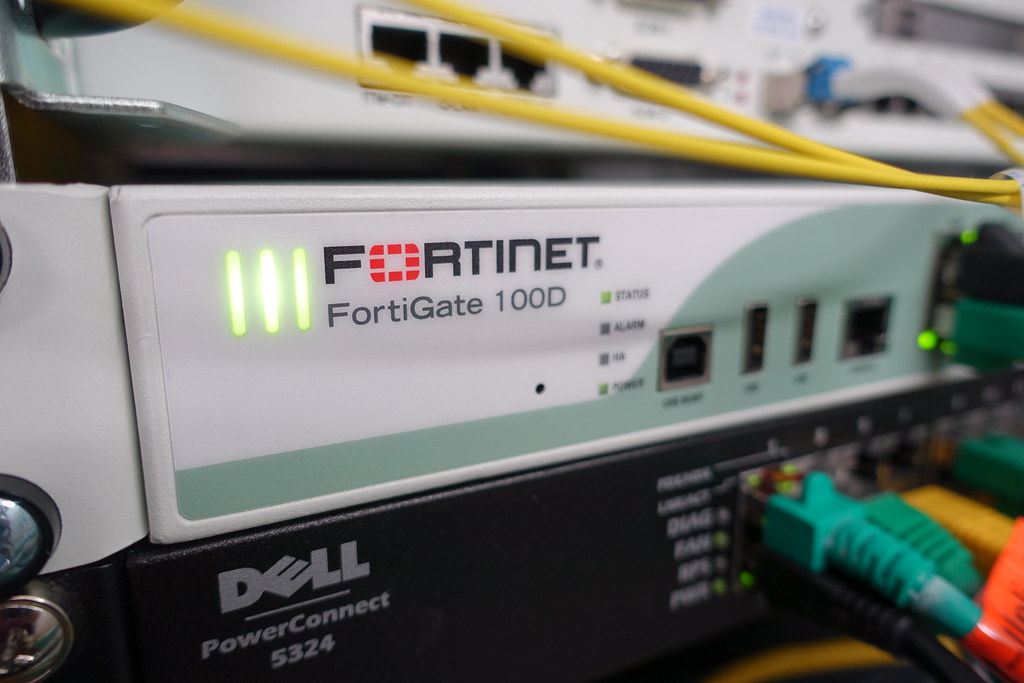
| Branch models | 40F, 60F, 70F, 80F | 30G, 50G, 70G, 90G |
| Campus models | 400F | 120G, 200G, 400G, 700G, 900G |
| Data centre models | 1000F through 7121F | 1200G, 3000G, 3500G, 3800G |
| FortiOS feature priority | Supported, follows | First in line |
| Buy new today? | Only where no G-series equivalent exists | Default choice |
Why does the G-series sometimes look slower on paper?
Because the headline number on a firewall datasheet is raw firewall throughput, and raw firewall throughput measures the device with every security feature switched off. It is a routing benchmark. No organization runs a next-generation firewall that way, so the number tells you almost nothing about how the box will behave on your network.
The numbers that describe real behaviour sit further down the datasheet. Threat protection throughput is the device running firewall, IPS, application control, and antivirus together with logging on. SSL inspection throughput is the device decrypting and inspecting HTTPS, which is now the overwhelming majority of what crosses your perimeter. Those two lines are where the generational gap opens up.
If your current FortiGate was sized on raw firewall throughput, it was sized wrong. This is the single most common reason we find a healthy-looking appliance running at 90% CPU: the box was specified against a 10 Gbps number, and the actual inspected workload was never going to clear 700 Mbps.
How much faster is a FortiGate 70G than a 60F?
Roughly double, on the measurements that count. The 60F is the most widely deployed branch firewall in the mid-market, so it is the fairest comparison point. Against the 60F datasheet, the 70G delivers 86% more threat protection throughput and 122% more SSL inspection throughput, and it holds twice as many concurrent sessions.
| Specification | FortiGate 60F | FortiGate 70G | Change |
|---|---|---|---|
| Threat protection throughput | 700 Mbps | 1.3 Gbps | +86% |
| SSL inspection throughput | 630 Mbps | 1.4 Gbps | +122% |
| IPS throughput | 1.4 Gbps | 2.5 Gbps | +79% |
| NGFW throughput | 1 Gbps | 1.5 Gbps | +50% |
| Firewall throughput (64 byte) | 6 Gbps | 10 Gbps | +67% |
| Concurrent TCP sessions | 700,000 | 1.4 million | 2x |
| Average power draw | 10.17 W | 12.3 W | +2.1 W |
Note the last row. You are buying close to double the inspected throughput for about two extra watts. Across a multi-site deployment that is a rounding error on the hydro bill, which is a materially different trade than most hardware refreshes offer.
2x
Concurrent TCP sessions on a FortiGate 70G (1.4 million) versus a 60F (700,000), per Fortinet product datasheets
The session count is the number we watch most closely in practice. Threat protection throughput is what fails loudly. Session capacity is what fails quietly: the firewall does not fall over, it just starts dropping and re-establishing connections under load, and your users report that Teams is choppy and the ERP times out intermittently. We have traced that exact complaint back to session table pressure on a 60F at a GTA professional services firm that had grown from 80 to 140 staff without touching the perimeter. Nothing was broken. The box had simply been sized for a smaller company.
Is the FortiGate F-series still worth buying in 2026?
Only where no G-series equivalent exists yet. Fortinet still lists F-series models across the range, including the 400F in the campus tier and the 1000F through 7121F at the data-centre end, and some of those port configurations have no direct G-series counterpart. If you need dense 25GE, or a specific chassis form factor, F-series may be the only option that fits.
Outside those cases, buy G-series. Two reasons beyond raw performance. First, new FortiOS capabilities land on current-generation hardware first, so an F-series purchase made today starts one generation behind on features. Second, support runway. Fortinet’s hardware support generally runs 60 months past the end-of-order date, so buying near the end of a generation shortens the window you have before you are planning the next refresh.
Before signing any FortiGate purchase order, check the model against Fortinet’s official product lifecycle list. Resellers still quote units that are inside their end-of-order window. The box works fine; the support timeline is just shorter than you assumed.
When should you replace an F-series FortiGate?
Replace it when it is constraining your security posture, not because a newer generation exists. A 60F that is running at 40% CPU with full inspection enabled and has three years of FortiCare left is not a problem to solve. Work through these five checks in order and the answer usually becomes obvious.
Check whether SSL inspection is actually on: Log into the appliance and confirm deep inspection is applied to your outbound policies, not just certificate inspection. If it was disabled to make performance complaints go away, you are already running an undersized firewall and the generation question is settled.
Pull your real inspected throughput and session peaks: Look at the last 90 days, not last week. Compare the peaks against the datasheet threat protection and concurrent session figures for your model. Sustained peaks above 70% of rated capacity mean you have roughly a year of headroom left.
Check the lifecycle date: Find your model’s end-of-order and end-of-support dates on Fortinet’s lifecycle list. Anything inside 18 months of end of support belongs in next year’s capital plan regardless of how it is performing.
Count your headcount growth: Session and inspection demand track people and devices, not revenue. If you have added 30% more staff since the firewall was specified, assume the sizing assumption is stale and re-run it.
Align the swap with your FortiCare renewal: Replacing hardware mid-term means writing off unused subscription value. Timing the refresh to the renewal date is the single easiest way to cut the real cost of the upgrade.
If you want the underlying method rather than the checklist, our guide to properly sizing a FortiGate walks through the calculation, and the real cost of running outdated FortiGate models covers what deferring the decision tends to cost.
What does a generation upgrade actually cost beyond the appliance?
The hardware is usually the smaller line. Budget for the FortiGuard subscription bundle on the new unit, FortiCare support, the configuration migration, and a maintenance window. For a single-site branch replacement the migration is typically a few hours of engineering time. For a multi-site environment with SD-WAN overlays, VPN tunnels to partners, and years of accumulated policy, it is a project.
The accumulated policy is where the hours go. In our experience, the F-series configurations we migrate are carrying five or six years of rules nobody has audited, including access for applications that were decommissioned years ago. A generation change is the natural moment to clean that up, and skipping the cleanup is how organizations carry a stale attack surface onto brand new hardware.
Run the new G-series unit in parallel before cutover wherever the topology allows it. Migrate the config, put a handful of test users behind it, and watch inspected throughput and session counts for a week. You will find the two or three policies that behave differently under deep inspection while it is still a test, rather than at 8am on a Monday.
One Canadian wrinkle worth planning around: appliance pricing is set in US dollars and lands on your PO in CAD at whatever the exchange rate is that quarter, and lead times on newly released models have been longer than on mature ones. If a refresh is in your fiscal year, quote it early and lock the price rather than assuming the number holds. As a Fortinet Advanced Partner since 2003, we generally advise clients to get the quote in hand a full quarter before the intended install date.
G-series is the right default for any new FortiGate purchase, and the gain over F-series is real but concentrated in inspected throughput and session capacity rather than raw firewall speed. Replace an existing F-series unit when your measured peaks pass 70% of its rated threat protection capacity, when it sits within 18 months of end of support, or when headcount has outgrown the original sizing. Not simply because a newer letter exists.
If you are not certain what your current FortiGate is actually doing under load, that is the place to start, and it does not require buying anything. Our managed firewall services team reviews the live performance data on your existing unit, checks it against its rated capacity and lifecycle dates, and tells you whether a refresh belongs in this year’s plan or next. If it turns out you do need new hardware, our Fortinet practice handles the sizing, procurement, and migration.
Sources
- FortiGate FortiWiFi 70G Series Data Sheet, Fortinet, 2026
- FortiGate FortiWiFi 60F Series Data Sheet, Fortinet, 2026
- FortiGate Next-Generation Firewall models, Fortinet, 2026
- Fortinet Product Life Cycle, Fortinet, 2026
- Firewall End-of-Life Planning, Fortinet, 2026