Many business owners believe that IT services can be delivered just as effectively from anywhere, but thats rarely true in practice. When it comes to keeping your business secure, compliant, and supported, having a local technology partner gives you a real advantage. For companies operating in the Greater Toronto Area, BALANCED+ provides that essential mix of proximity, accountability, and technical excellence.
Understanding the Value of Local IT Support
When your business faces an urgent technical issue or a cybersecurity threat, response time is everything. Having a local team means faster on-site support, better communication, and a partner who truly understands your regional infrastructure and regulatory landscape.
At BALANCED+, weve spent over 20 years serving businesses across Toronto, Mississauga, Vaughan, Oakville, Brampton, and Hamilton. Our local footprint allows us to:
Provide rapid on-site response when your systems go down or need hands-on troubleshooting.
Build long-term partnerships through in-person collaboration and consulting.
Offer personalized solutions that align with your industry, location, and compliance requirements.
Support multi-location businesses with unified IT and cybersecurity strategies across the GTA.
Strengthening Businesses Through Proximity
Local doesnt just mean close in distance; it means connected in purpose. BALANCED+ works closely with local companies to deliver IT and cybersecurity strategies tailored to their real-world challenges. From financial institutions in downtown Toronto to manufacturers in Vaughan and healthcare providers in Hamilton, our proximity gives us the edge to:
Understand regional network challenges and data laws.
Maintain face-to-face accountability with decision-makers.
Collaborate with local vendors, ISPs, and regulators to streamline compliance and operations.
This local knowledge allows us to act not just as an IT service provider, but as a strategic technology partner helping your business grow safely and efficiently.
Multi-City Coverage, Unified Expertise
BALANCED+ delivers consistent, enterprise-grade IT services across the entire GTA, ensuring every client benefits from the same level of protection, performance, and partnership. Our teams operate strategically from multiple hubs to stay close to our clients and their needs.
Were proud to support:
Downtown Toronto Financial, legal, and technology sectors.
Mississauga & Oakville Manufacturing, logistics, and retail industries.
Vaughan & Markham Professional services and consulting firms.
Hamilton & Burlington Healthcare, education, and industrial operations.
Why It Matters for Your Business
Choosing a local IT partner isnt just about convenience; its about building resilience. A local provider:
Knows your local regulations and compliance standards.
Can deploy faster, more personalized support.
Offers trusted, face-to-face relationships that strengthen accountability.
In a world where cyber threats, compliance demands, and operational pressures are constantly evolving, having a partner nearby who understands both your business and your region makes all the difference.
Partner with BALANCED+ Your GTA IT and Cybersecurity Experts
From responsive on-site support to proactive cybersecurity and compliance solutions, BALANCED+ is proud to help businesses across the GTA thrive in an increasingly complex digital environment.
Lets build a safer, smarter future right here in your backyard. ?? Serving Toronto, Mississauga, Vaughan, Oakville, Brampton, and Hamilton.
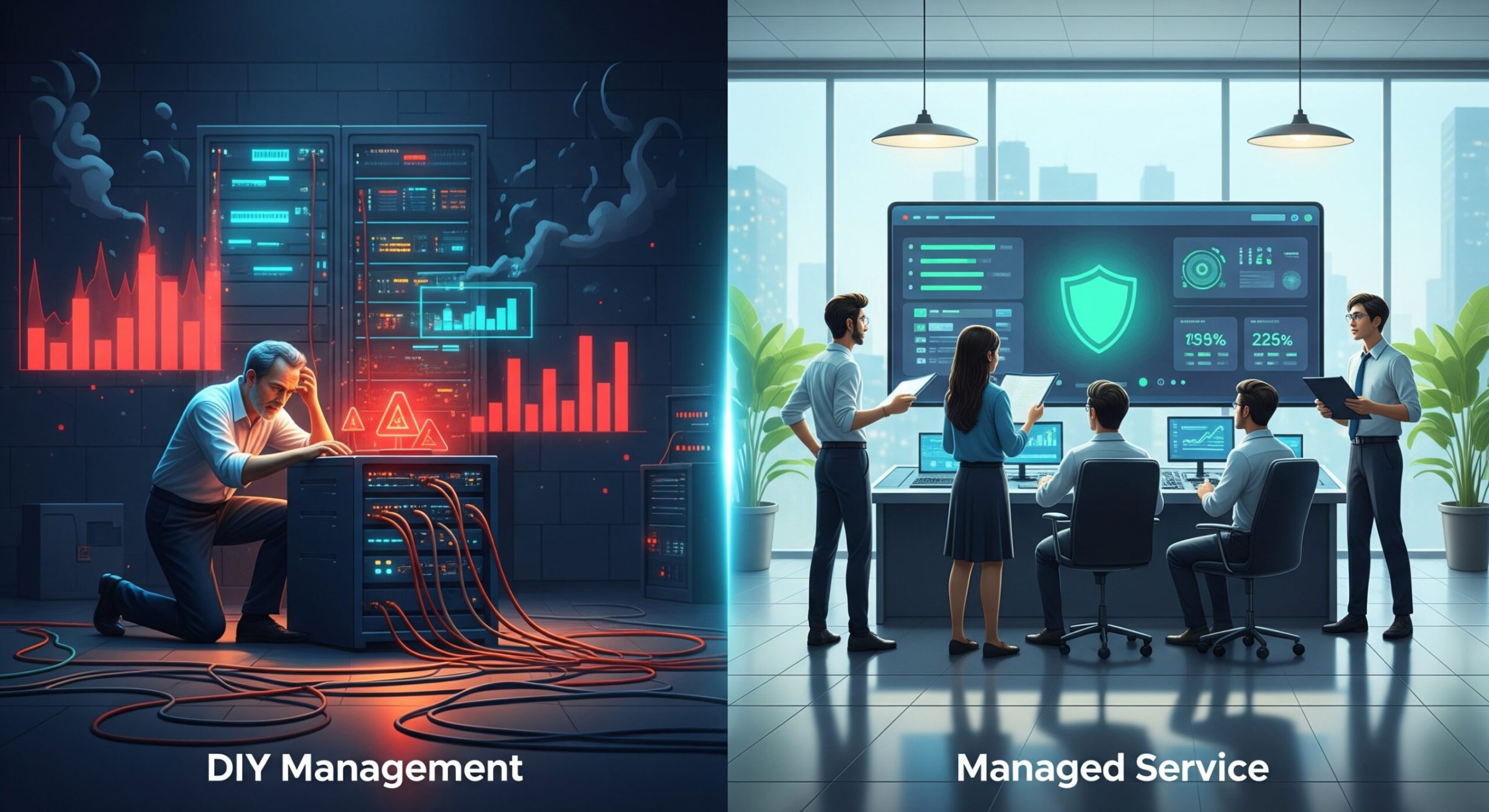
In today’s complex digital landscape, a robust firewall is not a luxuryit’s the cornerstone of your business’s defense. FortiGate firewalls are a top-tier choice for organizations of all sizes, offering powerful security and performance. But purchasing the hardware is only the first step. The critical question that every IT leader must answer is: Is it more cost-effective to manage this vital asset in-house or to partner with a managed service provider?
The answer isn’t as simple as comparing the cost of the appliance to a monthly service fee. This article will break down the real fortigate management cost, exploring the hidden and apparent expenses of both a Do-It-Yourself (DIY) approach and fully managed firewall services.
The Hidden and Apparent Costs of In-House FortiGate Management
Calculating the true cost of a self-managed firewall means looking beyond the initial invoice. The total cost of ownership for a DIY approach includes significant operational expenses that can quickly eclipse the initial hardware investment.
Hardware and Licensing
This is the most straightforward cost: the price of the FortiGate appliance itself, along with the necessary annual licensing for FortiGuard services like threat protection, web filtering, and antivirus. While this is a significant line item, it’s often the smallest part of the long-term financial picture.
Personnel Costs
This is the most significant “hidden” cost in any in-house vs outsourced IT security analysis. A FortiGate firewall isn’t a “set it and forget it” device. It requires constant attention from a skilled professional. This includes:
Dedicated Staff: A qualified network security engineer with Fortinet experience commands a high salary and benefits. If you don’t have one, you’ll face a competitive hiring market.
Divided Attention: More commonly, existing IT staff are tasked with firewall management. Every hour they spend on firewall configuration, patching, and log analysis is an hour they aren’t spending on strategic projects that drive business growth.
Training and Certification
The cybersecurity landscape is constantly evolving, and so is Fortinet’s technology. To manage a firewall effectively, your staff needs ongoing training and certifications. These costs include course fees, exam fees, and the time employees are away from their primary duties. Without this investment, your firewall can quickly become outdated and vulnerable.
24/7/365 Monitoring and Response
Cyber threats don’t operate on a 9-to-5 schedule. True security requires around-the-clock monitoring and the ability to respond to an alert at a moment’s notice. For most small and medium-sized businesses, staffing an internal, 24/7 security operations center (SOC) is financially and logistically impossible.
Tools and Software
Effective firewall management requires a supporting ecosystem of tools for log management, performance monitoring, and security information and event management (SIEM). These platforms come with their own licensing fees and maintenance requirements, adding another layer to your total cost.
Understanding Managed Firewall Pricing Models
In contrast to the variable and often unpredictable costs of DIY, managed firewall pricing is designed for clarity and predictability. When you engage a Managed Service Provider (MSP), you aren’t just outsourcing tasks; you’re gaining a partner that provides a comprehensive security service for a fixed monthly fee.
This service typically includes:
24/7/365 monitoring and incident response by a team of certified experts.
Proactive device management, including patching and updates.
Regular security policy reviews and optimization.
Access to advanced security and reporting tools.
A Service Level Agreement (SLA) that guarantees uptime and response times.
This transforms your security budget from a volatile mix of capital and operational expenses into a predictable operating expense (OpEx) that is easy to budget for.
The Definitive Comparison: In-House vs. Outsourced IT Security
The choice becomes clearer when you compare the two models side-by-side.
Feature
In-House (DIY) Management
Managed Firewall Service
Total Cost of Ownership
High and unpredictable (salary, training, tools)
Predictable and often lower over time
Expertise & Certification
Limited to your internal team; expensive to maintain
Access to a team of certified security professionals
24/7 Monitoring
Extremely difficult and expensive to staff
Included; SOC services are standard
Threat Response Time
Dependent on staff availability and alertness
Instantaneous, guided by strict SLAs
Scalability
Slow and requires new hires or significant training
Rapid; scales with your business needs
Predictable Monthly Costs
No, costs fluctuate with staffing and incidents
Yes, a fixed monthly fee for easier budgeting
Resource Allocation
Pulls your IT team away from strategic projects
Frees your IT team to focus on core business goals
Key Factors to Consider When Making Your Decision
To find the right path for your organization, ask yourself these critical questions:
Do we have the certified, in-house expertise to configure our firewall and effectively respond to advanced cyber threats?
What is the real financial and reputational impact of a security breach caused by a misconfigured firewall?
Could our IT team generate more business value if they were freed from daily firewall administration?
How quickly can we scale our security operations to match our business growth?
Conclusion
While the idea of managing your own FortiGate firewall can seem like a way to save money, the reality is that the true fortigate management cost is often far higher than anticipated. When you factor in the costs of specialized staff, continuous training, and the immense challenge of 24/7 monitoring, the value of a managed service becomes undeniable.
A managed firewall service offers a more secure, scalable, and ultimately more cost-effective solution. It provides access to a level of expertise and vigilance that most businesses cannot afford to build in-house, transforming your security posture from a liability into a strategic asset.
Call to Action
Stop worrying about the complexities of firewall management. Contact us today for a free consultation and a transparent quote on our managed FortiGate services. Let us handle your security so you can focus on your business.
Technology is the backbone of modern business operations, but managing IT infrastructure effectively can be complex, costly, and time-consuming. Many companies are turning to Managed IT Services to enhance operational efficiency, secure their systems, and reduce costs. Managed Service Providers (MSPs) offer businesses a proactive approach to IT management, providing expertise, security, and scalability while allowing companies to focus on their core functions.
What Are Managed IT Services?
Managed IT Services involve outsourcing IT operations to a third-party provider, known as a Managed Service Provider (MSP). These services typically include network management, cybersecurity, data backup, IT support, and cloud services. Instead of hiring and maintaining an in-house IT team, businesses leverage MSPs to ensure 24/7 monitoring, maintenance, and support.
MSPs often provide a customized approach, tailoring solutions to a companys specific needs. Whether its integrating cloud applications, deploying security patches, or optimizing IT workflows, these providers play a crucial role in digital transformation. Businesses in industries such as finance, healthcare, retail, and manufacturing increasingly rely on MSPs to meet regulatory compliance standards, maintain high system uptime, and ensure seamless data protection.
Key Benefits of Managed IT Services
1. Cost Savings and Predictable Expenses
Outsourcing IT to an MSP reduces the overhead costs associated with hiring, training, and maintaining an in-house IT department. Businesses benefit from a fixed monthly cost structure, making it easier to budget IT expenses without unexpected disruptions.
In addition to cost predictability, businesses save on infrastructure investments, such as data centers and specialized IT hardware, as MSPs provide cloud-based solutions that minimize on-premises dependencies. This pay-as-you-go model ensures that businesses pay only for the services they need, reducing wasteful IT spending.
2. Access to Cutting-Edge Expertise
MSPs employ a team of highly trained IT professionals with specialized skills in network security, cloud computing, compliance, and emerging technologies. This ensures businesses stay ahead of industry trends and security threats without the need for constant internal training .
MSPs also bring extensive experience in handling IT challenges across various industries. This cross-industry expertise allows them to provide best practices and innovative solutions that may not be available within an internal IT team. Moreover, they offer businesses access to enterprise-level technology and software, even for small and mid-sized companies that would otherwise struggle with high licensing costs.
3. Enhanced Cybersecurity and Compliance
With cyber threats becoming more sophisticated, businesses must prioritize security. MSPs provide:
Managed Detection and Response (MDR): A proactive cybersecurity service that continuously monitors, detects, and responds to threats using AI-driven analytics and expert human intervention. MDR enhances an organizations ability to quickly mitigate cyber threats before they escalate.
Extended Detection and Response (XDR): A more comprehensive approach that integrates multiple security layers, including endpoint, network, and cloud security, into a single platform for enhanced visibility and response to cyber incidents.
Regulatory compliance assistance for industries such as finance and healthcare .
Additionally, MSPs provide cybersecurity awareness training, helping employees recognize phishing attempts, social engineering tactics, and other cyber threats that could compromise business operations. Their security frameworks also ensure compliance with data protection laws such as GDPR, HIPAA, and PCI-DSS.
4. Scalability and Flexibility
One of the biggest advantages of Managed IT Services is the ability to scale IT resources based on business needs. Whether a company is expanding, downsizing, or shifting IT priorities, MSPs offer flexible solutions that adjust to market changes without significant capital investments .
Companies undergoing digital transformation benefit from MSPs’ ability to integrate and optimize cloud computing, artificial intelligence, and automation within their IT ecosystems. MSPs provide scalability options that support business growth, from increasing cloud storage capacity to upgrading enterprise-wide security protocols without major disruptions.
5. Improved Operational Efficiency
By outsourcing IT management, businesses can focus on what they do best. Internal teams no longer need to worry about IT troubleshooting, software updates, or hardware maintenance, resulting in improved productivity and efficiency. This allows businesses to streamline their operations and drive innovation without being bogged down by IT concerns .
MSPs offer proactive IT support, identifying potential issues before they impact business operations. Automated monitoring tools flag security vulnerabilities, performance bottlenecks, and network failures, ensuring rapid resolution and minimizing downtime.
The Growth of Managed IT Services
The demand for Managed IT Services continues to grow as more businesses recognize the value of outsourcing IT functions. According to industry research, the Managed Services market is projected to reach $520.54 billion by 2032, up from $258.24 billion in 2023, reflecting a Compound Annual Growth Rate (CAGR) of 8.10% (Finance Yahoo).
Furthermore, a 2024 survey revealed that 92% of MSPs observed businesses downsizing their internal IT teams in favor of outsourcing, emphasizing the shift toward external expertise to manage complex IT environments (Managed Services Journal).
The rapid adoption of AI-powered automation and cloud-based security solutions has further accelerated this shift. Businesses looking for cost-effective, scalable, and future-proof IT solutions are turning to MSPs to stay competitive in the evolving technological landscape.
Conclusion
Managed IT Services provide businesses with cost-effective, scalable, and secure IT solutions, helping them stay competitive in a rapidly evolving digital landscape. By outsourcing IT operations to expert providers, companies can enhance cybersecurity, access specialized knowledge, and improve efficiencyall while reducing operational costs. Solutions like MDR and XDR offer advanced threat detection and response capabilities, making businesses more resilient against cyber threats.
As technology advances and cyber threats become more complex, businesses must adopt proactive, adaptive IT strategies. MSPs empower organizations with the tools, expertise, and security infrastructure necessary to navigate the challenges of a digital-first world. Companies that leverage Managed IT Services will be better equipped to adapt, innovate, and thrive in the years to come.
Technology Business Management (TBM) is a value-management framework instituted by CIOs, CTOs and other technology leaders. Founded on transparency of costs, consumption, and performance, TBM gives technology leaders and their business partners the facts they need to collaborate on business-aligned decisions. Those decisions span supply and demand to enable the financial and performance tradeoffs that are necessary to optimize run-the-business spending and accelerate business change. The framework is backed by a community of CIOs, CTOs and other business leaders on the Technology Business Management Council.
While TBM applies common business management practices to IT ones that have defined the modern, data-driven enterprise it also represents nothing less than a business revolution in IT. As Brian Adams, CIO of WorleyParsons put it, TBM represents the first real change to the way IT is managed thats occurred during my 25-year career. Everything else has been evolutionary; TBM is revolutionary. Adams viewpoint and his passion for TBM, have been shaped by his somewhat unique perspective. His career actually spans roles far beyond IT, including CFO, strategy and development, marketing, product quality, and customer satisfaction.
IT is not the first domain to undergo a similar revolution. In the 1970s and the 1980s, manufacturers implemented a data-driven approach to optimize their supply chains from procurement through production. For the first time, they used technology to connect supply to demand, in turn reducing inventories, cutting production times, and improving margins. Manufacturing resource planning (MRP), as this method was known, led to new manufacturing techniques, such as just-in-time (JIT) inventories and total quality management (TQM). MRP was a game changer, and it gave birth to todays enterprise resource planning (ERP) software.
Figure 1: Applying MRP & ERP, manufacturers used technology and data to manage their supply chains
More recently, marketing departments have made similar changes. Just a decade ago, they were led by brand-savvy, creative leaders who made only gut-check decisions based on a knowledge of their products, buyers, and competitors. Marketing was a battle of wits, not data. Now, many chief marketing officers (CMOs) apply data to every aspect of their discipline. Using marketing automation tools and analytics, CMOs are working hard to connect every part of the marketing supply chain from website inquiries to qualified leads to active opportunities to closed deals. Many CMOs understand the conversion rates and costs at each stage of this supply chain, which they call the revenue engine. They continuously optimize that engine using data. Marketing is today quickly becoming as much science as it is art.
Figure 2: With marketing automation & CRM, CMOs use data to manage and tune their revenue engines to improve corporate returns.
Managing the Supply and Demand of IT
Now its your turn. IT must use facts to answer important questions about its own supply chain: How are your resources (money, people, and time) spent to deliver towers of infrastructure and other technologies? How are those resources used to deliver projects? How are your towers cobbled together into applications and services? How are those apps and services consumed by your business partners to generate revenue and manage costs? If you can make these connections, you can make decisions that improve efficiency, grow return on capital, and add business value. Further, you can change the conversations you have with your business partners.
Figure 3: With TBM, CIOs manage the supply and demand of IT
As with the marketing supply chain, you can look at yours in reverse. You can see precisely how business demand drives the cost of your apps and services, and in turn, you can identify the consumption of infrastructure towers and resources. This is powerful information. Not only does it help you create a financial plan based on how resources are actually allocated and consumed, it connects everything your people do to business outcomes.
Early TBM Successes
It is no coincidence that the development of TBM was influenced by someone who understands firsthand the challenges of managing supply and demand. Rebecca Jacoby, SVP of Operations at Cisco, started her career in manufacturing and supply chain roles, and at one point she was responsible for the global consolidation of Ciscos supply chain. After becoming CIO in 2006, she advocated a management approach that addressed both the supply of and the demand for IT. For Jacoby, this went beyond the supply-chain management for only IT. Instead, it would fundamentally change the conversations that she and her team were having with their business partners.
At Cisco, we recognized that in order to drive business value and innovation, we had to become a competitive provider of IT services. This meant, among other things, that we had to change the very conversations we were having internally and with our business partners. Our conversations and our vocabulary needed to move beyond technologies, SLAs and projects, to discussions about the tradeoffs needed to balance cost, quality, and value. Only in doing so could we free up resources for business growth and strategic execution. These tradeoffs are at the core of Technology Business Management.
Rebecca Jacoby, Cisco
Jacoby went so far as to define those value conversations by setting standards for them. They included strategy alignments, IT portfolio planning, architectural reviews, and quarterly value discussions with stakeholders. They centered on value considerations scope, source, architecture, quality of service, time to capability, risk all balanced by a new dimension cost. The result allowed her to align business and IT plans more closely, shape the portfolio of applications and services to meet the businesss needs better, tweak their technology stack to increase performance (even while reducing costs), and shape demand by putting a price tag on consumption. Now, as Chief Operating Officer, Jacoby is putting these practices to work beyond IT.
Still, its not just former CFOs and supply chain leaders who are shaping TBM. Many CIOs who have spent a majority of their careers in IT also are putting their mark on TBM. Larry Godec has spent the majority of his career working in various IT roles much of it as the CIO of First American, a leading provider of title insurance, settlement services, and risk solutions for real estate transactions.
In 2012, with the housing market starting to recover, Godec needed to shift his IT department to respond to the demands of a growing business. Godec recalls in great detail precisely when his TBM journey began a budget meeting with his CEO Dennis Gilmore. Dennis said, Were going to focus on growth. He told me I needed to know where we should be investing in customer-facing technology, because thats what the business will need to compete.
However, with a majority of his budget dedicated to supporting the existing IT estate, Godec needed to figure out how to shift resources quickly without putting the business at risk. He needed to see his resources in business terms, so he could collaborate with his CEO, CFO, and his line of business leaders on where to make the changes.
In a stroke of good timing, Godec heard what he needed to hear at a presentation by Tony Scott, then the CIO of Microsoft. I was at Microsoft for a briefing by Tony when he showed this dashboard I had never seen. For the first time, I saw someone who put IT costs, resources, and investments into terms I could easily explain by the applications and technologies that the business was using.
Godec now saw the way to put everything he did into business terms. Godecs first pass at TBM helped him create a simple portfolio view of the IT-business landscape, so he could have informed discussions about which apps and services were being consumed and by whom; how much he was spending on each of his major applications; and how much he needed to spend to support each line of business.
These facts led to several revelations about their portfolio. Many of the insights helped lead to cost reduction, while others led to the opposite conclusion. For example, by seeing for the first time the percentages of total spending on their app portfolio, they could justify increased investment in customer-facing technologies.
Other insights came in rapid succession, such as identifying end-of-life applications that were still consuming infrastructure and resources. In the end, these insights added up to significant budget savings and reallocations to more valuable purposes. Godec knew there were more, so he put his team on the hunt for new discoveries. His goal? Significantly reduce annual operating costs without reducing the quality of service and support. His team of only two people, mostly in their spare time, exceeded this goal in just a few months.
This is an important lesson. TBM isnt necessary because IT is too expensive. Instead, its needed because your resources are in short supply. IT budgets of course never satisfy everything your business wants; but the real problem is that skilled people are hard to find and your business competitive clock is ticking faster and faster. You cant afford to waste people or time. IT may represent less than a tenth of your business cost structure, but it is inextricably linked to your ability to compete, serve your customers, and reduce those business costs. Your IT capital must thus be invested wisely to create the most value.
IT governance and Information Technology policies is not generally a hot topic for SMEs. However, planning business growth and development is impossible without a solid technology platform. Therefore, putting in the proper IT policies and practices to ensure that your infrastructure (be it done internally or outsourced) aligns with your business mission is essential.
In large enterprises and organizations, matters of IT policy are within the competence of the Chief Information Officer (CIO). Such organizations will have quite large and verbose IT policies, often revised by a lawyer for legal purposes. But an IT policy does not need to be a large volume of legalese to be meaningful and valuable for corporate governance.
This article discusses the key aspects that SMEs need to consider when developing their IT policies, including defining scope and responsibility, IT infrastructure documentation, acceptable use of information technology, information security, IT services and standards, IT systems management and maintenance, IT incidents, and information systems.
Defining Scope and Responsibility
The scope of any IT policy should clearly be defined what it enforces, who it applies to, who is the Policy Owner, etc. An important aspect to consider are internal and external governing documents (provincial or federal legislation) that directly applies to IT practices in your industry. For example, institutions dealing with private health information fall under the Ontario Personal Health Information Protection Act (PHIPA).
There may also be certifications that influence IT policies and standards that must be considered. For example, ISO certification mandates certain IT practices to uphold certification.
Each policy should clearly indicate who is responsible for implementing/upholding it (executive, user, external consultant, etc.)
What are the essential IT policies relevant to SMEs?
IT Infrastructure Documentation
IT Documentation is critical for business continuity and knowledge retention about IT systems. The IT infrastructure documentation policy should establish a minimal list of documents to be created and maintained. Some examples of IT documents that are critical for any organisation:
IP address distribution table spreadsheet;
System and Network diagram;
Firewall access control list, or similar list of access rules;
Active Directory user audit spreadsheet, including security group membership;
etc.
Acceptable Use of Information Technology
The Acceptable Use policy determines what users can or cannot do with IT resources. It touches on things like who may use IT resources (authorisation), users responsibility, and limitation on personal use.
Areas that are covered by Acceptable use would be:
Telephones
Computers
Internet, including social media, and could platforms
Email
Printers
etc.
Information Security
Arguably one of the highest concerns for some enterprises, as everyone tries to protect data leaks and security breaches due to high liability costs (as we discussed in our article on Cyber Liability). The policy should define and list the information (data) covered by it (Confidential company-owned data, private data, databases, hard copies, etc.) and cover areas like:
Domain Access and Accounts;
User and administrator passwords;
Remote Domain and Computer Access, including access by Third Parties;
Network security: firewall, Remote login and Administration, network segregation, wireless networks, etc. (in larger policies, there may be a separate policy on Network Security in addition to Information Security);
Antivirus protection;
External Storage Devices;
Email and Content filtering;
Portable computing and Mobile Devices;
IT Services & Standards
This policy should define what services that IT department provides and what standards should be followed. For example, shared network storage and access to it, printing, data retention and backup standards, etc.
IT Systems Management and Maintenance
This policy should deal with things like hardware replacement and rotation (how frequently), managing firmware and software updates, monitoring, day-to-day operations, etc.
IT Incidents
This should talk about how IT incidents are handled at your company, i.e. who is responsible for reporting incidents and to whom, what are the resolution times (SLAs), what are standard procedures in handling incidents, etc.
IT incidents should be differentiated by severity. IT Disaster Events should be separately defined and a separate policy for Disaster Recovery should be written.
Information System
The Information System is a an aggregation of all IT resources (hardware and software) that support key business processes. With respect to the mission of any company with a (moderately) complex value chain, it is important to understand how the information system serves the business process, and how well the two should align. Information system policies should define the standards for developing and auditing key business processes and information systems.
To Conclude
Having the proper IT policies and practices in place is essential for SMEs to ensure business continuity, data security, and compliance with relevant regulations. It can also help companies better manage their IT resources and align them with their business mission.
As an IT consulting company, BALANCED+ can help SMEs develop and implement effective IT policies and practices to improve their IT governance and support their business growth. Contact BALANCED+ today to learn more about our IT consulting services and how we can help your organization achieve its goals through effective IT governance.
While keeping track of sales and production numbers and completing financial statements is necessary, it only scratches the surface of valuable information that can help improve performance, reduce costs, and optimize throughput in plastics manufacturing. Hidden measurements of production, material usage, and hours offer insights beneath the surface that can help you achieve a more efficient operation. Ignoring this data poses a risk to the health of your business.
Overall management of production and inventory is really the sum of the management of individual resources within the business individual machines, people, materials, and goods. And just as the chain is only as strong as its weakest link, challenged or underperforming resources can negatively affect the performance of the entire organization.
It is important, therefore, to measure and manage each resource as closely as possible in order to detect any variance from expectations and be able to take corrective action before productivity and throughput are affected. In todays digital factory, it is easier than ever to achieve that goal. The best modern ERP/MES systems are built to continuously monitor key measures of machine rate, output, efficiency, quality (reject rates), utilization and other factors and alert operators and managers when conditions or accomplishments vary from expectations.
Arguably the most important internal measurement to watch is Machine Efficiency: tracking of cycle time the interval between successive pieces produced or similarly the amount produced per hour in either units or pounds. Since actual production time is a major factor in product cost, a variance from the assumed or optimum run rate can make a big difference in cost-of-goods and profit.
But running faster than normal may not always be good if the result is lower yield or a higher scrap rate. So tracking rejects is also very important. And reject tracking should be as real-time as possible. The sooner a quality problem is detected, the sooner corrections can be made and fewer bad parts will be made.
Even though raw material cost is typically a relatively small component of cost-of-goods, availability is critical running out of material before the required quantity is produced can be disastrous. Acquisition and maintenance of raw material are tied to forecast or backlog, and usage rate. If the usage rate is incorrect, there is risk of material shortage. In addition, an inaccurate usage assumption in the recipe or bill-of-material can lead to incorrect pricing and misleading margin assumptions.
Monitoring actual material usage validates bill-of-material assumptions and provides insight into actual usage including start-up losses and normal scrap all information that can be used to refine costing and material management. Monitoring of usage in real-time may also provide early warning of process problems that can lead to rejects or operational problems.
It may sound complicated to continually watch multiple factors at multiple resources, but in fact, continuous measurement and reporting are much simpler it sounds. Technology gathers the detailed information and does the initial assessment by matching actual measurements against expectations and past experience. Only deviations or unexpected results are immediately communicated to responsible individuals for follow-up or further investigation. Accumulated information is always available, of course, for study and performance improvement efforts. Contrast that with the need to respond to a quality problem, production delay or cost overrun after the fact without any hint as to the source and location of the problem.
The Titanic had its unfortunate encounter with the hidden underside of the iceberg at a time when radar, sonar and modern navigation and communications did not yet exist. A sinking caused by an iceberg encounter is unimaginable today simply due to the technology available and in use in all ocean-going vessels. Plastics manufacturers have access to the equivalent of sonar and radar for monitoring activities and resources in the plant that can reveal the existence and even the emerging possibility of hidden perils like an unexpected variance in run rate, change in scrap or yield, or unusual material usage. Smart management will use these signals to proactively fine tune performance to reduce scrap, lower costs, improve on-time completion, and preserve margin.
BALANCED+ has extensive expertise in developing software to collect information on physical quantities and monitor production in plastics manufacturing. You can learn more about by reading our case study on Nuform which you can click here to read
Your business processes are not just valuable – they are your business itself.
According to Appian.com, a business process is a collection of linked tasks which find their end in the delivery of a service or product to a client. Generally, business processes are grouped into three categories:
Management processes;
Operational processes;
Supporting processes.
Operational processes are what constitute the key value chain they are at the heart of what makes your business different (or similar) from any other. For example, in manufacturing, the operational processes are those directly linked to making the product (sourcing raw materials, production, finishing, packaging, shipping, etc.). Supporting processes include finance/accounting and, of course, IT.
The natural human tendency is to minimize waste and optimize. However, left unto itself, the process of finding areas for improvement takes significant time, especially within an organization with processes that may span several months. This is where Business Analysis comes in. Wikipedia.org describes business analysis as
a research discipline of identifying business needs and determining solutions to business problems. Solutions often include a software-systems development component, but may also consist of process improvement, organizational change or strategic planning and policy development.
That is, business analysis develops and optimizes solutions to address business needs.
Any process is based on the flow of information, and a business is no exception. The main role of IT systems is to streamline, organize, and speed up information flows in business. IT Business Analysis focuses specifically on developing IT solutions to business needs and improving existing business processes. IT solutions can be as simple as the implementation of an instant messaging tool to speed up communication, or as complex as an information system that holds all business information and facilitates the entire workflow from lead to final sale to customer follow-up. A particular example of the effectiveness of IT Business Analysis is the Barcode Scanning System BALANCED+ developed and implemented for Nuform Building Technologies Inc., which allowed for fast entry and accurate accounting of raw materials and stock. This system decreased the time needed for a full Inventory count by 4-5 times. BALANCED+ also develops and supports custom in-house information systems.
IT Business Analysis can work with all types of business processes. If focused on operational processes, i.e. those that form the key value chain, it can unlock the hidden potential of your business.
Management often frowns upon investing into IT systems, and this is often a legitimate concern IT systems should only be based on adequate business analysis, showing what specific improvements to business processes will happen as a result of implementing the IT solution. Depending on the business, the adequate IT solution may be off-the-shelf or fully custom, which is what we will discuss in future blog posts.
As businesses continue to rely more heavily on technology to operate, it becomes increasingly important to manage IT systems and infrastructure effectively. One way to ensure that IT resources are used efficiently and effectively is through proper IT documentation. IT documentation is essentially a record of an organization’s IT infrastructure, systems, and procedures. It includes everything from network diagrams and IP address distribution tables to active directory user audit spreadsheets and firewall access control lists. Here are four reasons why IT documentation is essential:
1.Knowledge Transfer
One of the most important benefits of IT documentation is knowledge transfer. When key IT staff leave an organization, they take with them a wealth of knowledge about the organization’s IT systems and infrastructure. If this knowledge isn’t properly documented, it can be lost forever. However, when IT systems and procedures are properly documented, this knowledge can be transferred to new staff members, reducing the impact of staff turnover.
2.Standardization and Coordination
IT documentation helps to standardize and coordinate IT systems and infrastructure across an organization. By providing a clear and concise record of IT systems, it becomes easier to identify areas where standardization can be achieved. This reduces the complexity of IT systems, making them easier to manage and more efficient.
3.Time Efficiency
Time Efficiency By providing quick access to IT documentation, staff can be more productive, spending less time searching for information and more time focused on their core responsibilities. This can be particularly valuable during high-pressure situations such as outages or emergencies, where quick access to accurate information can be the difference between quickly resolving an issue or prolonged downtime.
4.Improved Transparency & Communication
Finally, IT documentation provides a clear picture of what is going on within an organization’s IT systems and infrastructure. This makes it easier to identify potential issues before they become major problems, and to respond quickly when issues arise. Additionally, IT documentation can be used to identify trends and patterns in IT systems and infrastructure, helping organizations make better-informed decisions about future IT investments.
What should be documented?
Some important things you should document, and the list is by no means exhaustive:
Network and system overview. This gives any IT-savvy individual a general overview of your IT infrastructure. This may be one or more documents, depending on the size and complexity of your infrastructure.
Administrative credentials and passwords. Needless to say, they should be stored in a secure, preferably encrypted, location, but accessible in case of an emergency and by other IT staff.
IT policies, reflecting the IT approach to various aspects of managing the infrastructure. This includes
Network and Security Policy (what networks and systems exist, for what purpose, who has access, etc),
Information policy (privacy, appropriate email use),
Internet policy (access to third-party resources like cloud platforms, what content is accessible, what content is blocked),
Hardware management policy (how often hardware is replaced, how old hardware is used, etc),
Backup and Recovery (when and how recovery is done),
and many more.
Information system. All the software that supports business processes and how it interacts between each other.
Hardware inventory. What hardware you have, where it is, who uses it, and if any spare devices are available if needed.
Software and license inventory. What software you have, who uses it, and if any spare licenses are available if needed. This will prove invaluable in the case of a licensing audit.
Project-related documentation. This is especially critical for knowledge transfer if multiple individuals successively work on the same project.
How to keep documentation updated
First and foremost, work with your IT department or IT consultant to work out an approach to documentation. Make your position in this matter clear, and work out a policy to make sure important documentation exists and is updated, while avoiding excessive time spent on documentation.
It is best to update documentation real-time, as policies and environment change, but that is not always possible. Some documentation should in fact be updated immediately after changes are implemented, like administrative passwords. BALANCED+ recommends that IT policies and procedures should be revised and updated on a quarterly or semi-annual basis. This will also ensure that outdated and inaccurate documentation does not clutter up document library.
Conclusion
In conclusion, IT documentation is a critical component of effective IT management and support. By providing knowledge transfer, standardization and coordination, time efficiency, and a clear picture of what is going on, IT documentation can help organizations reduce the complexity of their IT systems, improve efficiency, and achieve better business outcomes.
As an IT consulting company, BALANCED+ can help your organization develop and implement effective IT documentation practices. Contact us today to learn more about our IT consulting services and how we can help your organization achieve its goals through effective IT management.
AI Chatbot
Online
Hi! I'm the BALANCED+ assistant. Ask me anything about our managed IT or cybersecurity services — or I can help you figure out if we're the right fit for your business.
Submit a Support Ticket
What happens after you submit
We receive your ticket instantly
Your request hits our queue the moment you submit — no delays, no middlemen.
A technician reviews your issue
Our help desk team assesses priority and assigns the right technician for your issue type.
15-minute response on critical issues
You'll hear from us fast. Critical issues are responded to within 15 minutes — guaranteed by SLA.
Remote or on-site resolution
We resolve most issues remotely. If we need to come to you, we'll schedule a visit same day.